
AI Product Video Generator: Turn One Photo Into Ad-Ready Video
An AI product video generator animates a product photo into short ad footage. One good photo and about $0.64 of generation budget makes an 8-second clip, and ten variations cost $6.40.
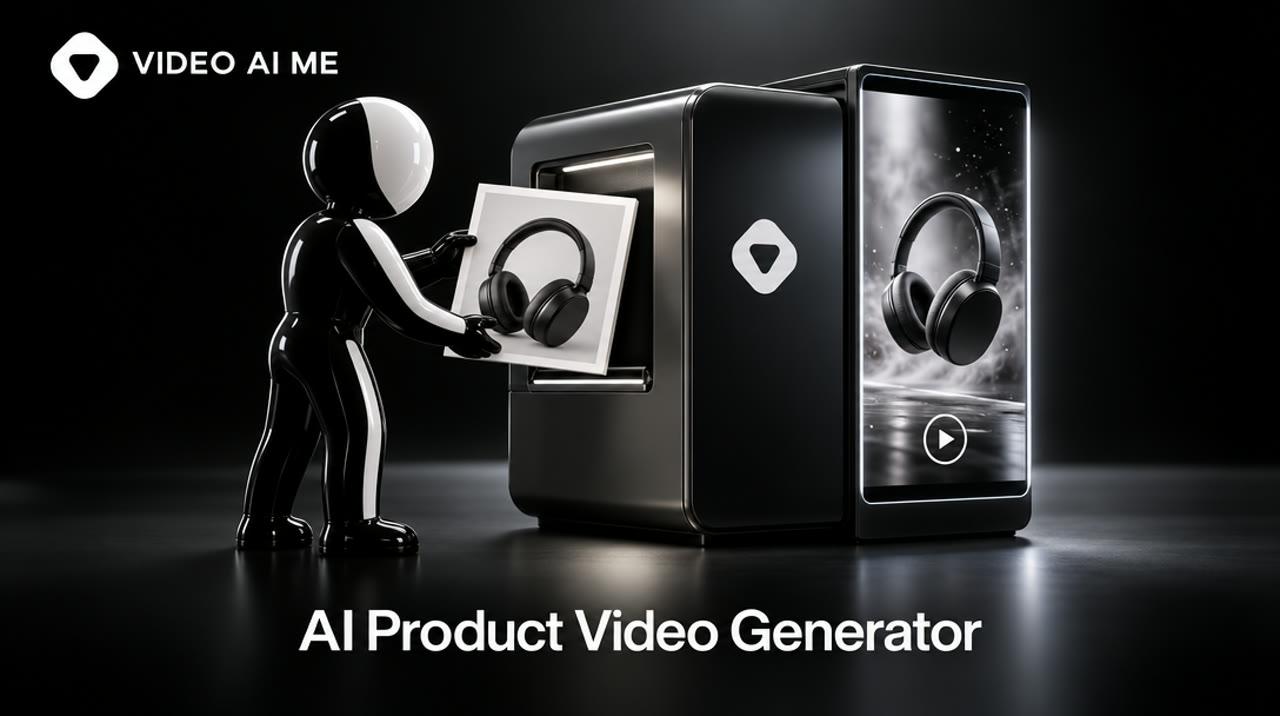
An AI product video generator turns a product photo, plus a short text prompt, into a few seconds of moving footage you can run as an ad: a slow push-in, a turntable spin, a hand picking the product up. One good photo and about $0.64 of generation budget is enough for an 8-second clip on VIDEO AI ME.
What is an AI product video generator?
It is a tool that creates short product footage from a still image, a text description or both, without a camera, a set or an editor. For advertising, the photo-first route matters most, because the product in the video has to be your product.
Three inputs are common:
- Image-to-video. You upload a product photo. The model animates it. The product stays closest to reality because the first frame is real.
- Text-to-video. You describe the scene. The model invents everything, including the product, which makes it useful for mood shots and risky for anything a customer will receive in a box.
- Avatar or presenter video. A generated person talks about the product, often holding or pointing at it.
The term also gets used for "product demo video makers" aimed at software. Those are mostly screen recording and interactive demo tools, and they solve a different problem. More on that below.
How does AI turn one product photo into a video?
The photo becomes the first frame, and the model predicts the frames that follow from your description of the motion. You control three things: the photo, the camera move and what must not change.
Step 1: prepare the photo
The output cannot be better than the input. A photo that works has these properties:
| Photo property | Why it matters |
|---|---|
| Product sharp and fully in frame | The model cannot invent the part that is cropped off accurately |
| Clean, simple background | Less for the model to distort as the camera moves |
| Soft, directional light | Gives the motion depth, and reflections stay believable |
| Space around the product | Room for a push-in or a slow orbit without hitting the frame edge |
| Shot in the aspect ratio you will run | A vertical ad needs a vertical photo, or you lose the product in the crop |
| Label facing the camera, large | Small text is the first thing to warp |
Step 2: write the motion, not the product
The photo already describes the product. Your prompt should describe what moves. A reliable structure:
- The subject and setting in one line, matching the photo.
- One camera move: slow push in, slow orbit, tilt up, static.
- One natural motion: steam rising, fabric moving, liquid pouring, a hand entering.
- Sound: ambient only, or a spoken line.
- Constraints: no text on screen, no logos, nothing added or removed.
One move per clip. Two moves in 8 seconds is where products start to deform.
Step 3: generate, review, repeat
Generation takes minutes per clip, not seconds. Review each result against the photo:
- Is the shape of the product the same at the end as at the start?
- Is the label still readable, or has the text turned into nonsense?
- Did the model add a feature the product does not have?
- Do hands, if any, look right?
Discard anything that changes the product. An ad that shows a product the customer will not receive is a refund request and, depending on the claim, a compliance problem.
Step 4: finish and export
Add a voiceover and captions, trim, and merge clips into a 15 to 30 second ad. On VIDEO AI ME, captions are the only on-screen text in the editor. Add your logo, price and offer text after export in your ad platform or a design tool.
The clip below was generated on VIDEO AI ME with MiniMax H3 Max from the prompt shown. It is 8 seconds long and cost 64 credits ($0.64).
Notice that the prompt asks for one camera move and one natural motion, the steam, which is why the mug keeps its shape for the full 8 seconds.
MiniMax H3 Max · 8s · 9:16
See the prompt that made this video
A handmade speckled ceramic mug filled with coffee sits on a slowly rotating wooden turntable, steam curling upward, warm side light on a linen backdrop. Slow push in toward the rim of the mug. No dialogue, soft ambient sound. No text on screen, no logos.
Which prompts work for AI product videos?
Prompts that name one camera move, one motion and clear constraints work best. Start from the two below and change the product, the surface and the light.
A handmade speckled ceramic mug filled with coffee sits on a slowly rotating wooden turntable, steam curling upward, warm side light on a linen backdrop. Slow push in toward the rim of the mug. No dialogue, soft ambient sound. No text on screen, no logos.
- Video
- MiniMax H3 Max
- 8s
- 9:16
This is the exact prompt behind the example clip. Upload your own product photo as the start image and describe the same surface and light that the photo shows.
A hand lifts a matte black insulated water bottle from a gym bench and turns it slowly toward the camera so the front is visible, then sets it back down. Bright morning light from a window, shallow depth of field. A woman's voice says: "This is the one that actually fits the cup holder." Shot on a phone, slight handheld movement, no text on screen, no logos.
- Video
- MiniMax H3 Max
- 8s
- 9:16
Use only claims that are true of your product. Keep the spoken line under 15 words. Check that the hand and the bottle shape stay correct through the turn.
Three more shot types worth generating for every product: a slow tilt from base to top on a plain backdrop, a pour or texture close-up, and a lifestyle wide shot where the product is small in a real-looking room. Step-by-step settings are in how to turn product photos into video ads.
How much does an AI product video cost?
On VIDEO AI ME, an 8-second product clip costs between 8 and 384 credits depending on the model, which is $0.08 to $3.84. The default model, MiniMax H3 Max, costs 64 credits, or $0.64.
One credit is one cent of generation budget, and each model has a per-second rate. Multiply the rate by 8 seconds to get the chart. The takeaway: draft on the default or a cheaper model, and pay for a premium model only on the shots that made it into the final ad.
Per-second credit rate at 720p (768p for MiniMax H3 Max) multiplied by 8 seconds. 100 credits = $1.
View the data as a table
| Model | Cost per 8-second clip |
|---|---|
| Boreal | $0.08 |
| Kling 2.6 Pro | $0.56 |
| MiniMax H3 Max | $0.64 |
| Happy Horse 1.1 | $1.12 |
| FLUX 3 Max | $1.36 |
| Seedance 2.0 Fast | $2 |
| Sora 2 Pro | $2.4 |
| Seedance 2.5 | $3.84 |
Source: VIDEO AI ME pricing, updated 2026-10-24
The cost of testing, not the cost of a clip
Advertisers do not need one clip. They need variations. The arithmetic for a real test batch on the default model:
- 10 variations in one aspect ratio: 10 x 64 = 640 credits, or $6.40.
- The same 10 in 9:16 and 1:1: 20 x 64 = 1,280 credits, or $12.80.
- The same 10 in 9:16, 1:1 and 16:9: 30 x 64 = 1,920 credits, or $19.20.
Each aspect ratio is a separate run and a separate charge, so decide where the ad will run before you generate. The chart shows the three totals. The takeaway: one ratio fits the $29 Starter plan with room for retakes, and all three ratios need the $99 Pro plan.
8-second clips on MiniMax H3 Max at 64 credits each, before retakes. Each aspect ratio is a separate run.
View the data as a table
| Batch | Generation cost |
|---|---|
| 1 ratio (10 runs) | $6.4 |
| 2 ratios (20 runs) | $12.8 |
| 3 ratios (30 runs) | $19.2 |
Source: VIDEO AI ME pricing, updated 2026-10-24
Starter includes 1,400 credits a month, which is up to 175 seconds of default-model video. Pro includes 5,600 credits, up to 700 seconds, and Premium 12,000 credits, up to 1,500 seconds. Premium models use credits faster, and retakes count. Plans are on the pricing page.
Which type of AI product video generator do you need?
Pick by the job: model-first generators for footage, ad builders for templated ads, avatar tools for a presenter, and demo tools for software. No single tool is best at all four.
| Type | What it does well | Where it falls short | Examples that rank for this search today |
|---|---|---|---|
| Image-to-video generators with several models | Realistic product motion from your own photo, model choice per shot | You direct every shot yourself | Higgsfield, Picsart, Kapwing, Pixlr, VIDEO AI ME |
| Ad builders | Assemble a templated ad from product details | Output can look like other advertisers' ads | Creatify, invideo |
| Avatar and presenter tools | A consistent talking presenter, many languages | Less suited to product-only footage | Synthesia, HeyGen |
| Screen and demo tools | Software walkthroughs and interactive demos | Not for physical products | Arcade |
| VIDEO AI ME | Image-to-video, text-to-video and AI actors with lip-sync in one workspace, plus publishing to 15 social platforms | No URL-to-video, no text or logo overlays, no upscaling or background removal |
The tools in the last column are the ones Google listed for this search on 2026-11-10. We have not tested each one for this guide and we did not verify their prices today, so compare them on their own pricing pages. Most use a subscription with credits or minutes, as VIDEO AI ME does.
If your product is software, a "product demo video maker" in the screen recording sense will serve you better than any generator. Real interface footage beats generated interface footage every time. A generated presenter can introduce the demo, and that combination is covered in the AI video ad generator guide.
Why this search costs advertisers $29 a click
Vendors compete hard for this buyer. Advertisers bid $29.23 per click on "ai product video generator" in the United States, against $20.37 for "ai product video". The takeaway from the chart: a searcher who adds the word "generator" is closer to buying, and the bid rises by about 43%.
Average Google Ads cost per click in the United States, by search term.
View the data as a table
| Search term | Google Ads CPC |
|---|---|
| ai video ad generator | $31.41 |
| ai product video generator | $29.23 |
| product demo video maker | $20.39 |
| ai product video | $20.37 |
Source: DataForSEO, Google Ads data for the United States, pulled 2026-11-10
What can AI product videos not do yet?
They cannot guarantee exact product fidelity, show how a product truly performs, or replace proof. Know the limits before you build a campaign on generated footage.
- Small text and logos warp. Fine print on packaging is the most common failure. Use shots where the label is large, or keep the label out of the moving part of the frame.
- Function is invented. A model can show a blender blending. It does not know how your blender blends. Do not use generated footage to demonstrate performance claims.
- Consistency across shots takes work. Two clips from two photos can show slightly different colors. Start every clip from a real photo of the same product under the same light.
- Each ratio is its own run. There is no one-click resize of a finished generation.
- No overlays in the editor. Price badges, logos and offer text are added after export.
- It takes minutes, and some takes fail. Budget two to three takes per shot as a planning assumption.
When a real shoot is the better choice
- A hero film for a launch that will run for a year.
- Food, cosmetics or anything where texture and true color decide the sale.
- Products with regulated claims.
- Anything where the customer must see the exact item, such as handmade or one-off pieces.
A common split: shoot one clean set of photos and one hero video properly, then generate the variations from those photos.
Where can you run AI product videos, and what are the rules?
You can run them anywhere you run video: paid social, product pages and marketplaces. Each destination has file limits, and ad platforms have labeling rules for AI-generated content.
File limits
On a Shopify product page, an uploaded video can be up to 10 minutes long, up to 1 GB and up to 4K, in .mp4, .mov or .webm, according to Shopify's product media documentation. An 8-second generated clip is far inside those limits. For ad placements, check the current formats in our TikTok ad specs guide.
AI labels
TikTok's ads policy allows significantly AI-generated or AI-edited ad content when you apply its AI-generated content label or add your own clear disclaimer, and says undisclosed AI content can be rejected or restricted. Completely AI-generated content counts as significant. Adjusting lighting or color does not.
YouTube's altered content policy requires disclosure of realistic AI-generated content, and does not require it for minor edits such as color adjustment.
The practical rule: if the footage was generated, label it. A label costs nothing, and a rejected ad costs a day of a launch.
Truth in the picture
The product in the ad must be the product in the box. Generated footage that adds a feature, changes a color or exaggerates a size is misleading advertising whether or not AI made it. If you add a generated person who talks about the product, the testimonial rules in our AI influencer marketing guide apply.
How do you turn one photo into a full ad set?
Plan five shots from one photo session, generate each as an 8-second clip, and merge them into two or three ads with different openings. That gives you a testable set for a few dollars of generation budget.
- Photograph once. Front, three-quarter, detail, in-context and scale shots, in vertical framing.
- Generate five clips. Turntable, push-in on the detail, in-hand, lifestyle wide, and a pour or texture shot. 5 x 64 = 320 credits, or $3.20.
- Add a talking opener. One lip-synced AI actor clip of about 10 seconds: 82 credits.
- Write three hooks. One problem, one feature, one offer. Record each as a voiceover.
- Merge into three ads. Same footage, different first three seconds.
- Caption, export, label. Add captions, export, add your logo and offer text, apply the AI label in the ad platform.
- Publish. Schedule organic versions to your social accounts and upload the ad versions to your ad account.
Total generation budget before retakes: 320 + 82 = 402 credits, or $4.02. For longer commercial formats built the same way, see the AI commercial generator guide.
To see what finished clips look like, browse the ecommerce product video examples. Business accounts can get one demo video during signup with no card, and paid plans start at $29 a month on the pricing page.
Frequently Asked Questions
Share
AI Summary

Ready to Create Professional AI Videos?
Join thousands of entrepreneurs and creators who use VIDEO AI ME to produce stunning videos in minutes, not hours.
- Create professional videos in under 5 minutes
- No video skills experience required, No camera needed
- Hyper-realistic actors that look and sound like real people
Get your first video in minutes
Related Articles
AI Influencer Marketing: How Brands Use Virtual Creators, Costs and Risks
AI influencer marketing uses a virtual creator to promote products the way a human influencer would. It costs from $29 a month to produce, and FTC, platform and EU disclosure rules all apply.
Real Estate Video Marketing: 9 Video Types That Win Listings
Real estate video marketing works when each video has one job. These nine types cover trust, listings and leads, and only the walkthrough and the client testimonial need a real shoot.
Real Estate Video Editing: Workflow, Software, Outsourcing Rates and AI Shortcuts
Real estate video editing means cutting raw property footage into a 30 to 90 second listing video. Edit it yourself, outsource it for about $60 to $100 a video, or use AI for intros and photo teasers.