
TikTok Ad Specs 2026: Sizes, Lengths and Safe Zones for Every Format
TikTok in-feed video ads are 9:16 at 540 x 960 pixels or larger, up to 500 MB, with a 516 kbps minimum bitrate. TopView and carousel have stricter rules, listed here from TikTok's own pages.
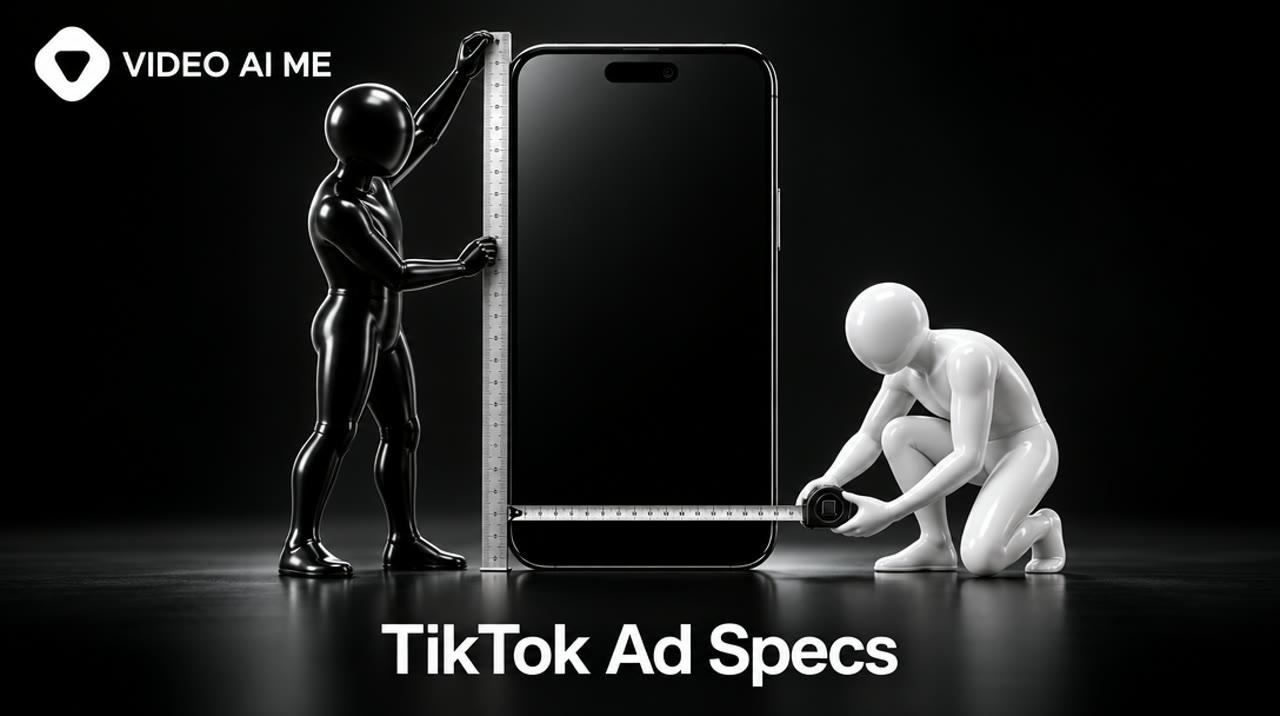
The TikTok ads specs that matter in 2026: a standard in-feed video is 9:16 at 540 x 960 pixels or larger, in .mp4 or .mov, up to 500 MB, with a bitrate of at least 516 kbps. TopView needs at least 2,500 kbps and runs 5 to 60 seconds. Carousel uses 2 to 35 images.
What are the TikTok ad specs for 2026?
Every TikTok ad format has its own file rules, and the differences are in duration and bitrate, not aspect ratio. Vertical 9:16 is accepted everywhere and recommended everywhere.
This table combines TikTok's own pages: the auction in-feed video specifications (last updated June 2026), the TopView specifications (October 2026) and the carousel specifications (September 2026).
| Spec | In-feed video (non-Spark) | Spark Ad (pulled post) | TopView | Carousel |
|---|---|---|---|---|
| Aspect ratio | 9:16 recommended, 16:9, 1:1 | Whatever the organic post is | 9:16 only | Vertical, square or horizontal images |
| Minimum resolution | 540 x 960, 960 x 540, 640 x 640 | No restriction | 540 x 960 | 720 x 1280, 640 x 640, 1200 x 628 |
| File types | .mp4, .mov, .mpeg, .3gp, .avi | .mp4 or .mov | .mp4, .mov, .mpeg, .3gp | JPG or PNG |
| Duration | Up to 10 minutes | No restriction in the spec, 10-minute cap on sparked videos | 5 to 60 seconds, 9 to 15 recommended | 2 to 35 images |
| File size | 500 MB maximum | No restriction | 500 MB maximum | 100 KB or less per image suggested |
| Bitrate | 516 kbps minimum | No restriction | 2,500 kbps minimum | Not applicable |
| Caption | Fixed white font, no clickable links | Pulled from the post, up to 4 lines shown | Up to 100 characters | One caption for all images |
Check the linked pages before a large upload. TikTok updates them several times a year, and each one carries its own "last updated" date.
What size and aspect ratio should a TikTok ad be?
Make it 9:16 vertical. TikTok accepts 16:9 and 1:1 for standard in-feed ads, but vertical fills the screen and is the only ratio TopView accepts.
The minimums for in-feed video are:
- 9:16 vertical: at least 540 x 960 pixels
- 16:9 horizontal: at least 960 x 540 pixels
- 1:1 square: at least 640 x 640 pixels
Those are floors, not targets. TikTok's creative best practices page recommends shooting in at least 720p and orienting vertically at 9:16.
A practical rule: if a horizontal or square master is all you have, do not letterbox it into a vertical frame. Recut or regenerate it as a true 9:16 video. Empty bars at the top and bottom tell every viewer it is a recycled ad.
How long can a TikTok ad be?
Longer than most guides say. TikTok's in-feed specification page lists non-Spark auction ads at up to 10 minutes, and Spark Ads can use organic videos of up to 10 minutes. TopView is limited to 5 to 60 seconds.
Many spec roundups still print "5 to 60 seconds" for all video ads. On the pages we read, that range belongs to TopView, where TikTok also recommends 9 to 15 seconds.
What the limit allows and what works are different questions. TikTok's creative guidance does not set a recommended in-feed length, but it does say to introduce your proposition in the first 3 seconds and prioritize your hook in the first 6. An ad built to that guidance is short by nature. For most small advertisers, 8 to 15 seconds for a single-message ad is a sensible default, with longer cuts reserved for demos and explainers that have earned the extra seconds.
What file type, size and bitrate does TikTok require?
Export .mp4 or .mov, keep the file under 500 MB, and make sure the bitrate clears the floor for your format: 516 kbps for in-feed, 2,500 kbps for TopView.
Bitrate is the spec that catches people out, because the two formats are almost five times apart.
The lowest bitrate TikTok accepts for an uploaded video ad, in kilobits per second.
View the data as a table
| Format | Minimum bitrate (kbps) |
|---|---|
| In-feed (non-Spark) | 516 |
| TopView | 2,500 |
Source: TikTok Business Help Center: Video ads specifications (June 2026) and TopView ad specifications (October 2026)
Three practical notes:
- Do not over-compress. A messaging app or a "small file" export preset can push a clip under the bitrate floor. Export from your editor, not from a chat thread.
- File type is rarely the problem. .mp4 and .mov are accepted by every video format in the table.
- Check before a TopView booking. TopView is a reservation product shown when people open TikTok, so a rejected file costs you a slot, not a few minutes.
What are TikTok's safe zones?
Safe zones are the parts of the frame that TikTok's interface does not cover. There is no single pixel margin: TikTok says the safe zone depends on the aspect ratio, the caption length and any add-ons the ad uses.
TikTok's specification page provides downloadable safe zone files in two versions, a standard left-to-right version used in all regions except Arabic, and a right-to-left Arabic version. There are separate files for ads that use anchors. It also warns that the ad preview is not device-specific, so the live ad can look slightly different.
Because the official margins are template files and not numbers, use this working rule until you have the template open in your editor:
- Middle of the frame: product, face and any text you add after export go here.
- Bottom of the frame: the caption, account name and call-to-action button sit here. A longer caption covers more.
- Right edge: the profile, like, comment and share icons run down this side.
- Top of the frame: keep it clear of important detail.
A second, smaller safe zone applies to the profile image. It is 98 x 98 pixels, square, JPG or PNG, under 50 KB, and TikTok says to keep the key element inside the central 66 x 66 pixels so it is not cropped.
This example was generated for this guide on VIDEO AI ME with MiniMax H3 Max, 8 seconds, for 64 credits ($0.64). The prompt asks for the composition directly.
Notice that the sneaker stays in the middle third of the vertical frame, leaving the top, bottom and right edge free for TikTok's interface.
MiniMax H3 Max · 8s · 9:16
See the prompt that made this video
A single white running sneaker rotates slowly on a pale concrete pedestal against a soft orange backdrop. The product stays centered in the middle third of the vertical frame with empty space at the top and bottom. Slow push in, soft studio light, gentle shadow. No dialogue, quiet ambient sound. No text on screen, no logos.
What are the caption and text limits?
For TopView, the caption maximum is 100 characters, about four lines show before a "See more" link, and an emoji counts as two characters. For standard in-feed ads, the caption appears in a fixed white font you cannot restyle, and clickable links are not supported in it.
Other text fields from TikTok's pages:
- Account name: one line, up to 20 characters for most languages and 10 for Chinese, Japanese and Korean. For app ads the name is pulled from the app store automatically.
- Spark Ad captions: pulled from the organic post, with a maximum of four lines displayed.
- Carousel: one caption and one call to action shared by all images.
- On-screen text in the video: TikTok's creative guidance suggests 5 to 10 words per second when you use text.
Write the caption so its first line carries the message. Anything after the fold is read by very few people.
Which TikTok ad formats are there, and which specs apply to each?
For a small advertiser buying in TikTok Ads Manager, three formats cover almost everything: in-feed video (uploaded or Spark), carousel and, for bigger launches, TopView.
- In-feed video, non-Spark. A video you upload to Ads Manager. It has the fixed specs in the first column of the table. The full playbook is in our TikTok in-feed ads guide.
- Spark Ads. An organic post run as an ad. The upload specs do not apply, because the post already exists. See TikTok Spark Ads for authorization codes and limits.
- TopView. A video shown when someone opens TikTok. It is a reservation format with the strictest file rules.
- Carousel. A swipeable set of 2 to 35 images with required looping music of at least 2 seconds, uploaded as .mp3.
A caution on the carousel count. TikTok's carousel page gives 2 to 35 images for the standard format and also lists a maximum of 20 images shown for another carousel variant. If you plan more than 20 images, confirm the limit for your exact campaign type in Ads Manager before you design the set. Suggested image sizes are 720 x 1280 vertical, 640 x 640 square and 1200 x 628 horizontal.
TikTok also sells search, shopping and other placements. Their requirements change more often, so check the help center for each, and see the TikTok Shop ads guide for the commerce formats.
One sign of how much money rides on getting this right: advertisers pay more on Google for spec and format searches than for cost searches.
Average Google Ads cost per click in the United States, by search term.
View the data as a table
| Search term | Google Ads CPC |
|---|---|
| tiktok ads formats | $57.65 |
| tiktok ads specs | $46.99 |
| tiktok ads cost | $23.31 |
| tiktok spark ads | $19.06 |
Source: DataForSEO, Google Ads data for the United States, pulled 2026-11-10
How do you produce video that meets the specs the first time?
Decide the aspect ratio, length and framing before you make the video, not at export. Most rejected or weak TikTok ads were made for another platform and resized afterward.
A pre-flight checklist:
- Ratio: 9:16, true vertical, no bars.
- Resolution: 720p or higher.
- Length: proposition in the first 3 seconds, hook inside the first 6.
- Framing: subject in the middle of the frame, edges clear.
- Sound: on, with voice or music.
- File: .mp4 or .mov, under 500 MB, bitrate above the floor for your format.
- Caption: message in the first line, 100 characters or fewer if it may run as TopView.
- Disclosure: if the video is AI-generated, use the disclaimer. Our guide to TikTok ads policy for AI content explains when it is mandatory.
Generating to spec
If you generate the creative, the specs become settings and prompt lines. On VIDEO AI ME you choose 9:16, 16:9 or 1:1 per run, and the default model outputs 768p, which clears TikTok's in-feed minimum and its 720p recommendation.
Be aware of three limits. Each aspect ratio is a separate run and a separate charge, so a vertical and a square version of one 8-second clip cost 128 credits, not 64. There is no upscaling. And captions are the only on-screen text, so logos and price tags are added after export, inside the safe zone. Check the exported file's bitrate before any TopView upload.
Here is the prompt behind the example above, with a variation.
A single white running sneaker rotates slowly on a pale concrete pedestal against a soft orange backdrop. The product stays centered in the middle third of the vertical frame with empty space at the top and bottom. Slow push in, soft studio light, gentle shadow. No dialogue, quiet ambient sound. No text on screen, no logos.
- Video
- MiniMax H3 Max
- 8s
- 9:16
The sentence about the middle third and empty space is what keeps the product clear of the caption and icons. Keep it when you change the product.
A woman in her thirties stands in a bright living room, framed from the chest up in the center of the vertical frame, with clear space above her head and below her shoulders. She holds a small amber glass supplement bottle at chest height and says to the camera: "I take this every morning, and here is what changed." Shot on a phone, handheld, natural window light, slight camera shake, authentic user-generated style, no text on screen, no logos.
- Video
- MiniMax H3 Max
- 8s
- 9:16
Chest-up framing keeps the face and the product above the caption area. Hold the product at chest height, never at the bottom edge. Only make claims you can support.
Length is the other cost decision, because generation is priced per second. A 15-second clip, the top of TikTok's recommended TopView range, costs very different amounts depending on the model.
15 seconds x the per-second credit rate. 1 credit = 1 cent. MiniMax H3 Max is priced at 768p, the others at 720p.
View the data as a table
| Model | Cost of a 15-second clip |
|---|---|
| Boreal | $0.15 |
| Kling 2.6 Pro | $1.05 |
| MiniMax H3 Max (default) | $1.2 |
| Grok Imagine 1.5 | $2.1 |
| FLUX 3 Max | $2.55 |
| Seedance 2.0 Fast | $3.75 |
| Sora 2 Pro | $4.5 |
| Seedance 2.5 | $7.2 |
Source: VIDEO AI ME pricing, updated 2026-10-24
Plans start at $29 a month for 1,400 credits: see pricing. You can judge output quality in the product ad examples before spending anything.
When should you not generate? If the brief needs 1080 x 1920 masters with on-screen graphics, a real customer on camera, or a TopView hero film, a videographer or an agency is the better choice. Generated clips are strongest for in-feed testing volume.
What gets a TikTok ad rejected on specs?
Most spec rejections come from a short list: bitrate too low, resolution under the minimum, an unsupported file type, or a caption that breaks a field rule.
Quick fixes:
- Bitrate under 516 kbps: re-export from the original at a higher quality setting.
- Resolution too small: go back to the source. Scaling a small file up does not add detail.
- Caption rejected: remove links and special brackets, and shorten it.
- Blurry or cropped profile image: rebuild it at 98 x 98 with the logo inside the central 66 x 66 area.
- Banned organic post: it will be rejected as a Spark Ad too.
Specs are only the first gate. Content policy is the second, and budget is the third: our TikTok ads cost guide covers the minimums.
Frequently Asked Questions
Share
AI Summary

Ready to Create Professional AI Videos?
Join thousands of entrepreneurs and creators who use VIDEO AI ME to produce stunning videos in minutes, not hours.
- Create professional videos in under 5 minutes
- No video skills experience required, No camera needed
- Hyper-realistic actors that look and sound like real people
Get your first video in minutes
Related Articles
AI Product Video Generator: Turn One Photo Into Ad-Ready Video
An AI product video generator animates a product photo into short ad footage. One good photo and about $0.64 of generation budget makes an 8-second clip, and ten variations cost $6.40.

AI Influencer Marketing: How Brands Use Virtual Creators, Costs and Risks
AI influencer marketing uses a virtual creator to promote products the way a human influencer would. It costs from $29 a month to produce, and FTC, platform and EU disclosure rules all apply.
Real Estate Video Marketing: 9 Video Types That Win Listings
Real estate video marketing works when each video has one job. These nine types cover trust, listings and leads, and only the walkthrough and the client testimonial need a real shoot.