
AI Video API for E-Commerce Builders (2026)
How developers wire AI video APIs into Shopify, WooCommerce, and headless stacks to generate product videos at scale. Endpoints, costs, and integration patterns.
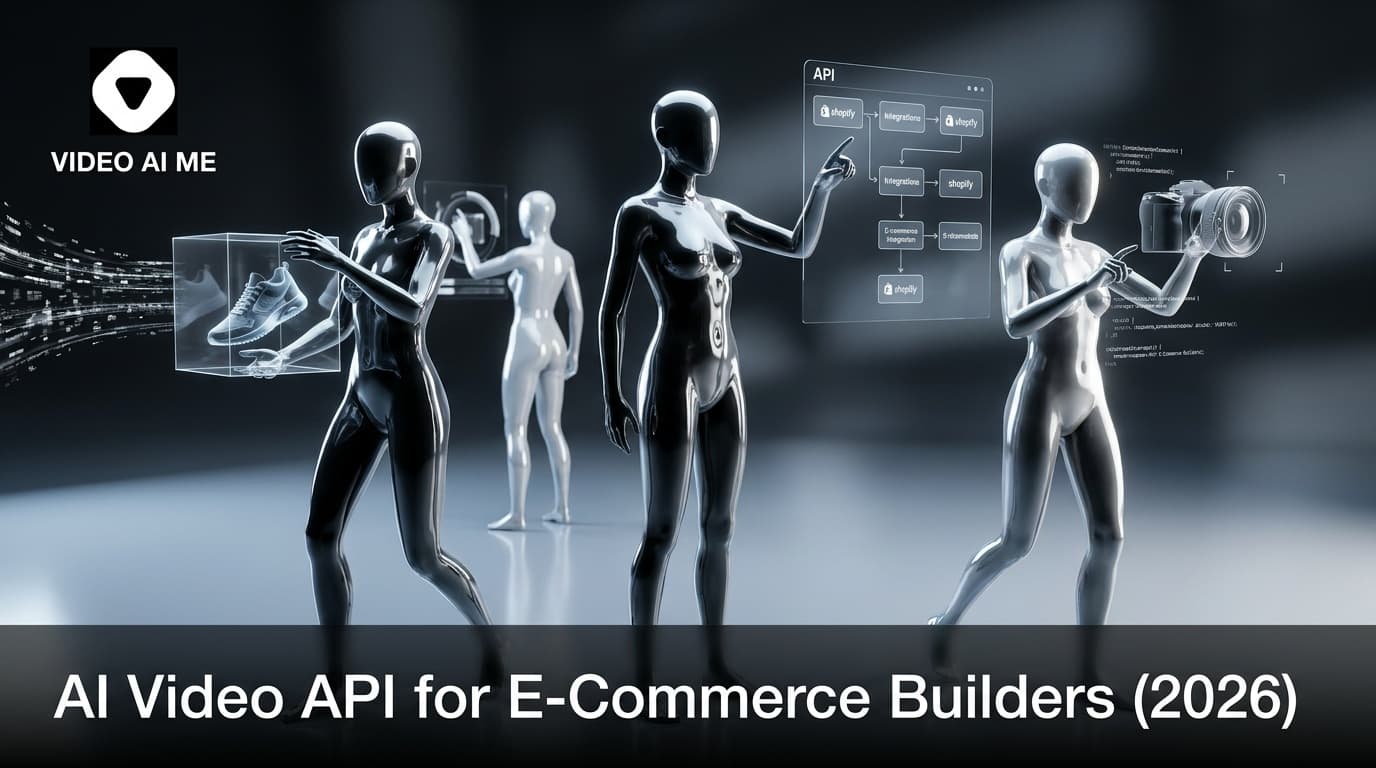
AI video APIs are how DTC dev teams stop hand-editing product videos
Your catalog has 412 SKUs. Your PDPs have video on 18 of them. Your CMO wants video on every page. Your marketer is clicking render buttons one product at a time and burned out at SKU 30. Your VP of growth quoted the project as a 5 month manual sprint. Two things will happen if you do not automate: video coverage stays under 10 percent, or someone burns out trying.
Most e-commerce video tools are built for marketers clicking buttons. That breaks at 50 SKUs. By 100 SKUs, you need automation. AI video APIs let developers wire video generation into Shopify webhooks, headless storefronts, and email platforms so a new product gets a video without a human touching a render button.
This guide is how DTC builders actually integrate AI video APIs in 2026: endpoints, webhook patterns, cost math, and real Shopify and WooCommerce integration examples. Built for solo developers and small dev teams running fast-growing DTC stacks at catalog scale.
Why builders need an AI video API in 2026
Volume kills manual workflows. Statista reports the average Shopify store added 23 percent more SKUs in 2024 than 2023. Larger stores manage 1,000 plus active SKUs. Filming a product video per SKU is impossible. Manually generating each AI video at 5 to 15 minutes a piece is still impossible.
APIs solve the math:
- New SKU triggers webhook
- Webhook calls AI video API with product data
- API returns video URL when ready
- Video URL writes back to product metafield
- PDP template embeds the video automatically
No human in the loop. New SKU goes live with a video.
The VIDEOAI.ME AI video API surface
The AI video API supports:
- POST /v1/renders: submit a render job with actor, script, voice, and assets
- GET /v1/renders/:id: check job status
- POST webhook callback: receive notification when render completes
- POST /v1/voice-clones: train a voice clone from audio
- POST /v1/actors: create a custom actor from training video
There is also a lip sync API for post-processing existing video with new audio.
Authentication is bearer token. JSON request and response bodies. Standard HTTP status codes.
Common e-commerce integration patterns
Pattern 1: Shopify webhook to auto-generate PDP video
- Shopify fires
products/createwebhook to your endpoint - Your endpoint extracts product image, title, description
- Your endpoint POSTs to the AI video API with the assets and a templated script
- AI video API renders and fires a callback to your webhook
- Your handler writes the video URL to a Shopify product metafield
- Your Liquid template reads the metafield and embeds the video
Total latency: 10 to 15 minutes from SKU creation to live video on PDP.
Pattern 2: WooCommerce hook for the same flow
- WooCommerce
woocommerce_new_productaction fires - PHP action handler calls AI video API
- On callback, save URL as product meta
- PHP template renders the video
Pattern 3: Headless commerce stack
- Product created in Sanity, Contentful, or Shopify Storefront API
- Serverless function triggers on content change
- Function calls AI video API
- URL saves back to CMS
- Next.js or Nuxt frontend renders the video
Pattern 4: Bulk catalog migration
- Script reads all existing SKUs
- Loops through, calling AI video API per SKU
- Saves URLs back to product records
- Useful for adding video to a legacy catalog without a manual pass
Pattern 5: Multilingual auto-localization
- Render once in English
- Loop over target languages
- Call AI video API with the same script in each target language
- Save per-language URLs as metafields
How to wire the Shopify webhook flow in Node
The flow below is a sketch, not production code. Use it as a starting point.
// Shopify webhook handler (Next.js API route)
export async function POST(req) {
  const product = await req.json();

  const renderJob = await fetch('https://api.videoai.me/v1/renders', {
    method: 'POST',
    headers: { Authorization: `Bearer ${process.env.VIDEOAIME_API_KEY}` },
    body: JSON.stringify({
      actor_id: 'actor_default',
      voice_id: 'voice_founder_clone',
      script: `Meet the ${product.title}. ${product.body_html}.`,
      product_image_url: product.image.src,
      callback_url: 'https://yourstore.com/api/render-callback',
      metadata: { product_id: product.id }
    })
  });

  return new Response('OK', { status: 200 });
}
The callback handler writes the URL back to Shopify:
// Callback handler
export async function POST(req) {
  const { video_url, metadata } = await req.json();
  await shopify.metafield.create({
    owner_resource: 'product',
    owner_id: metadata.product_id,
    namespace: 'video',
    key: 'ai_product_video',
    value: video_url
  });
  return new Response('OK', { status: 200 });
}
Full working examples live in the AI video API docs.
Prompt example: auto-rendered 20-second PDP video for a Shopify cookware catalog
This is the prompt shape your webhook handler should feed into the API per SKU. Template the variables from product data.
Style: modern UGC handheld, kitchen daylight, smartphone capture, warm and lived-in, slight bokeh
Scene: A man in his mid-30s in a black t-shirt stands at a butcher-block counter. A compact unbranded non-stick pan sits in front of him next to a glass bowl with a single cracked egg. A bottle of olive oil and a small ceramic mug sit slightly out of focus to the right.
Cinematography: Camera shot: chest-up handheld phone shot, slight high angle, subject framed center Lens: 28mm equivalent smartphone, f/2.0, soft fall-off on the back wall Lighting: window light from camera-left, warm late-morning balance, colors anchored in brushed steel, kraft brown, soft yellow, white tile, warm skin Mood: confident, weekend-cooking energy
Actions:
- He tilts the pan toward the lens to show the cooking surface
- He pours the egg in with no oil and watches it slide cleanly across the pan
- He nods once at the lens and tilts the pan again to show the empty surface
Dialogue:
- Man: "No oil, no sticking, eight months in. This is the only pan that survived my kitchen."
Background sound: Light kitchen ambience, soft sizzle, faint clink at the pour
In your API call, swap the actor, product type, and key benefit per SKU through templated fields. Use the AI video API to render at both 16:9 for PDP and 9:16 for ads in a single render queue.
Real e-commerce use cases
1. Headless DTC brand with 500 plus SKUs
A headless DTC brand running Next.js plus Sanity wired the AI video API to their content publish hook. New products get a PDP video on launch with no manual step. Coverage went from 5 percent of SKUs with video to 100 percent in 6 weeks.
2. Shopify Plus brand running multilingual
A Shopify Plus brand selling in 5 markets used the API to auto-render 5 language versions of each new product video. Per-market launch cost dropped from $4,800 to roughly $20 in credits.
3. Marketplace aggregator
An Amazon and eBay aggregator built a tool that auto-generates A plus content video for every SKU in their catalog. Volume: 800 SKUs processed in one weekend. Total cost: roughly $200 in credits.
Personas based on common builder patterns. Test in a staging environment before pointing at production.
AI video API pricing in 2026
| Provider | Cost per render (15 sec) | Cost per render (60 sec) | API quality |
|---|---|---|---|
| VIDEOAI.ME | $0.05 to $0.15 | $0.20 to $0.50 | high |
| HeyGen API | $0.10 to $0.30 | $0.40 to $1.00 | high |
| Synthesia API | enterprise quote | enterprise quote | high |
| D-ID API | $0.05 to $0.10 | $0.20 to $0.40 | medium |
| Runway API | $0.20 to $0.50 | $1.00 plus | high (cinematic) |
VIDEOAI.ME plans bundle credits with feature access:
- Starter $29: 1,000 credits, API access
- Pro $99: more credits, Seedance 2.0 model
- Premium $199: max credits, max actor and voice slots
API vs UI workflows
| Factor | UI Workflow | API Workflow |
|---|---|---|
| Setup time | minutes | days |
| Volume ceiling | 50 SKUs | unbounded |
| Per-SKU human time | 5 to 15 minutes | 0 |
| Cost per render | same | same |
| Multilingual at scale | impractical | default |
| Best for | marketers, founders | dev teams |
Most DTC brands run both. UI for hero ads. API for catalog scale.
What to watch for in AI video API integrations
- Rate limits. Most APIs cap at 10 to 100 renders per minute. Plan for queuing on bulk migration runs.
- Webhook reliability. Implement retries and dead-letter queues. Render callbacks occasionally arrive late.
- Idempotency. Use idempotency keys to avoid duplicate renders on webhook retries from your CMS or Shopify.
- Error handling. Render failures happen on 1 to 3 percent of jobs. Build a fallback path to a static product image when a render returns a non-200.
- Cost monitoring. Bulk integrations can quietly drain credits. Add a per-day spend cap that pages your on-call if exceeded.
- Schema validation. Validate product data before sending to the render API. Missing image URLs are the most common cause of failed renders at scale.
- PII scrubbing. Strip customer names and email addresses from any prompt text. AI prompts get logged.
Production architecture for an AI video API integration
The production setup we have seen scale to 1,000 plus SKUs looks like this:
- Edge function on product create or update. Lightweight handler that enriches the product payload and pushes to a queue.
- Render queue. SQS, a Cloud Tasks queue, or Inngest. Decouples Shopify webhook latency from API render time.
- Worker function pulling from queue. Calls the AI video API with a templated prompt. Stores the render job ID in your database with the product ID.
- Callback endpoint on render complete. Validates the signature, reads the metadata, and writes the video URL back to the product metafield in Shopify or your CMS.
- Status dashboard. A simple page that shows render status per SKU: queued, rendering, done, failed. Useful for ops and bulk migration runs.
- Daily reconciliation job. Scans for SKUs without a video metafield and re-queues them. Catches webhook drops and silent failures.
This architecture handles 500 to 5,000 renders a day without manual intervention and survives Shopify webhook failures, partial outages, and credit exhaustion.
API workflow patterns by store size
Not every store needs the full architecture. Approximate setup by store size:
- Under 50 SKUs. UI workflow only. No API needed. The marketer can click through every product in a Saturday.
- 50 to 200 SKUs. Light API integration. Shopify webhook plus a single worker function. No dedicated queue.
- 200 to 1,000 SKUs. Full queue plus worker plus reconciliation. Worth investing 2 to 3 dev days into the integration.
- 1,000 plus SKUs or multi-store. Dedicated render pipeline with multilingual fan-out and per-locale templating. Treat the AI video pipeline as a first-class system in your stack.
Match the architecture to the actual catalog size, not the aspiration. The most common failure mode is over-engineering on day one and never shipping past the first integration spike.
Next steps
If your store has more than 100 SKUs and your team includes a developer, the AI video API is the lowest-effort way to ship video at catalog scale. Start with a Starter plan to test the integration on 5 SKUs, then upgrade to Pro before bulk migration.
Want to see one running on your store? Wire your Shopify product webhook into the AI video API or the lip sync API and render a sample on 5 SKUs in under an hour. Related reading:
Frequently Asked Questions
Share
AI Summary

Paul Grisel
Paul Grisel is the founder of VIDEOAI.ME, dedicated to empowering creators and entrepreneurs with innovative AI-powered video solutions.
@grsl_frReady to Create Professional AI Videos?
Join thousands of entrepreneurs and creators who use VIDEO AI ME to produce stunning videos in minutes, not hours.
- Create professional videos in under 5 minutes
- No video skills experience required, No camera needed
- Hyper-realistic actors that look and sound like real people
Get your first video in minutes
Related Articles
MiniMax H3 Product Ad Prompts That Sell
Prompts for the product beats every ecommerce ad needs: the reveal, the in hand shot, the demo, the texture close up and the lifestyle frame.
MiniMax H3 for Dropshipping Ads: A Test Workflow
How to test a product with video ads before you have inventory, samples or a creator, using text to video for angles and your supplier photos for the product beats.
Seedance 2.5 Product Ad Prompts for Ecommerce
Five product shot prompt patterns for Seedance 2.5, category variants for skincare, supplements, apparel, gadgets and home, and what still does not hold up.