
Sora vs Veo3 vs Kling: Best AI Tool for Korean Baseball Prompts
Sora 2, Veo 3.1 and Kling 3.0 head-to-head on Korean baseball prompts. Strengths, weaknesses, and which one wins for the KBO fan-cam trend.
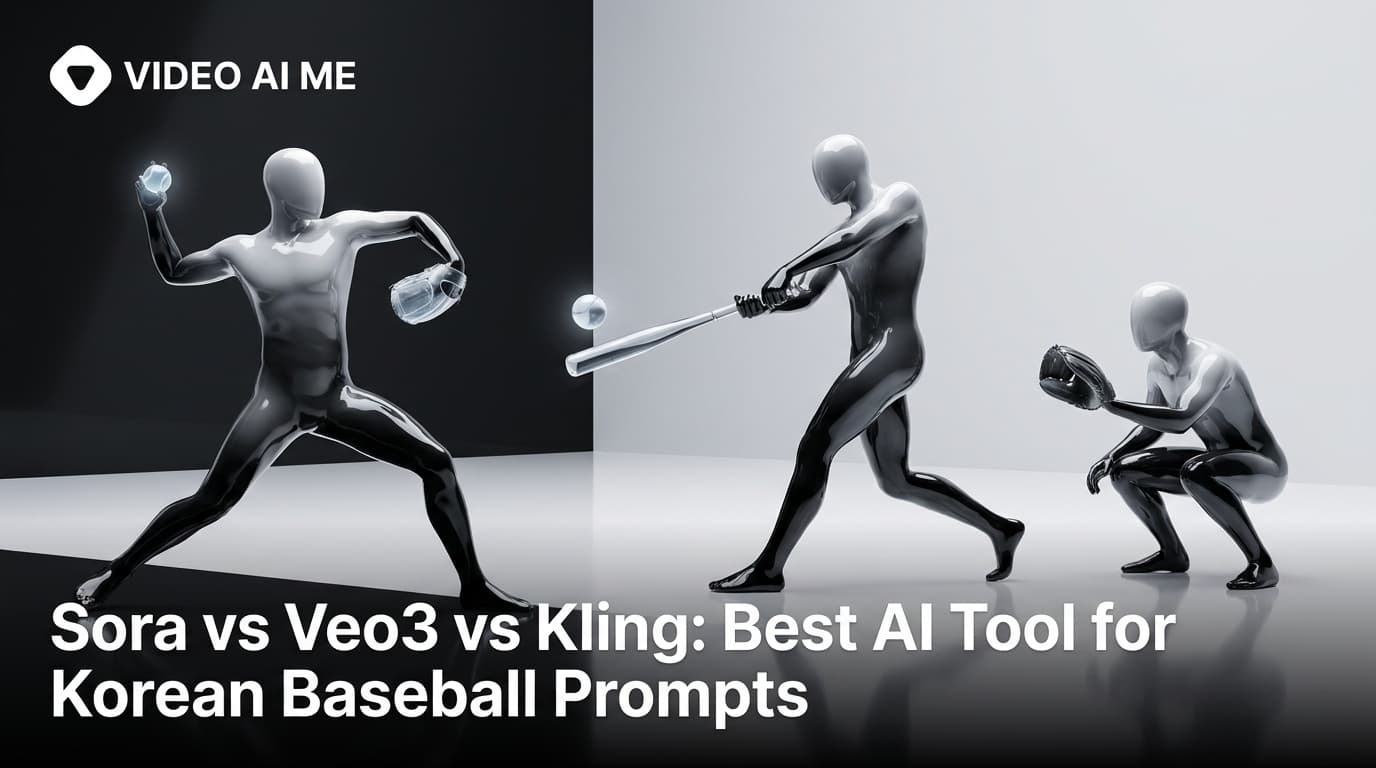
If you have spent any time researching the AI Korean baseball trend, you have seen the same three tool names: Sora, Veo3, Kling. Each one is a video generation model. Each one has a slightly different sweet spot. And each one falls down in a slightly different place when you push it into the KBO fan-cam format.
This is a head-to-head on the question that matters: which is the best AI tool for Korean baseball prompts? The answer has nuance, because no single model wins on every axis. We'll break down how each one handles the trend, where they shine, where they break, and which one to reach for depending on what you are optimizing for.
How We Evaluate AI Tools for KBO Prompts
A Korean baseball prompt is harder than most AI video tasks because it stacks six demands on the model at the same time:
- Identity lock: your face has to stay consistent.
- Telephoto realism: long-lens compression, candid framing.
- Crowd density: 12-15 rows of believable, animated background.
- Broadcast overlay: readable scoreboard, channel watermark, lower-third.
- Micro-motion: a half-second glance, a small smile, no full choreography.
- Compression artifacts: the clip has to look ripped from a TV feed, not freshly rendered.
That's a brutal test for any video model. Some handle two of these well. Some handle four. None handle all six perfectly.
Sora 2: The Physics Realist
Strengths. Sora 2 is the king of motion physics. Crowd movement looks correct: people shift weight, lean forward, raise hands at slightly staggered timing. Beer cups bounce, cheering sticks sway, hair moves with subtle wind. If you watch a Sora-generated KBO clip with the sound off, the background alone sells the broadcast realism.
Sora 2 also handles compressed broadcast color well. Telephoto compression flattens facial features in a flattering, naturalistic way and Sora gets the math right.
Weaknesses. Identity lock degrades over longer shots. A 5-second clip stays consistent, a 10-second clip drifts. The face you uploaded at frame 1 is subtly different by frame 240. For the KBO trend that means you can ship short clips but you cannot ship a long-form series with one anchor.
Text rendering on the broadcast overlay is also weak. Scoreboard numbers come out as plausible-looking gibberish. You either accept the gibberish or composite the overlay in post.
Best for. Cheer-section wide shots, walk-off reaction shots, anywhere physics matters more than the subject's exact identity.
Prompt formatting note: Sora 2 prefers natural-language
paragraphs, not bullet lists. Write your prompt as flowing
prose with clear scene description, then add a separate
short paragraph for camera and overlay specs.
Veo 3.1: The Cinematic Broadcaster
Strengths. Veo 3.1 was clearly trained on a lot of broadcast and cinema footage. The color science is the best of the three. Slight teal-orange grade, accurate sodium-light warmth on the front row, deep cool blue in the background sky - all of it comes out right by default.
Text rendering on overlays is also Veo's best advantage. Scoreboard numbers, lower-third graphics, channel watermarks - Veo gets the typography readable more often than Sora or Kling. If your prompt depends on the chrome being legible, Veo wins.
Weaknesses. Motion can feel slightly stiff compared to Sora. Veo tends toward composed, cinema-grade movement, which sometimes reads as posed for a trend that lives on candid feel. Identity lock is middle-of-the-pack: better than Sora's long-shot drift, worse than Kling's frame-by-frame stability.
Best for. Premium-seat quiet moments, lower-bowl Stadium Goddess shots, anywhere the overlay graphics need to be readable and the color grade needs to feel cinematic.
Prompt formatting note: Veo 3.1 responds best to JSON-style
blocks or labeled paragraph segments (Subject:, Wardrobe:,
Camera:, etc.). The structured format helps it allocate
attention across the six layers.
Kling 3.0: The Identity Lock King
Strengths. Kling 3.0 has the strongest image-to-video identity preservation in the field. You upload a reference still, Kling animates it, and the face stays the face. Frame 1, frame 120, frame 240 - same person. For the KBO trend where viewers are watching to see if the subject looks real and consistent, that matters more than any other single axis.
Kling also handles lip sync well for short dialogue lines, which makes it the go-to for multilingual versions of the trend.
Weaknesses. Crowd realism is weaker than Sora's. Background fans sometimes move in synchronized patterns that real crowds don't do. Color grade is flatter than Veo's. Text rendering is the worst of the three.
Best for. Reaction shots, quiet moments, multilingual dialogue versions, anywhere identity lock has to be airtight.
Prompt formatting note: Kling 3.0 reads short imperative
sentences best. Long descriptive paragraphs sometimes get
truncated. Lead with the action you want, then the scene
details.
Head-to-Head: The Stadium Goddess Test Prompt
We ran the same prompt through all three. Here's the source:
16:9.

Identity anchor: source photo.

Subject: adult woman, mid-20s, hair down, natural skin.

Wardrobe: clean white Hanwha Eagles jersey open over a fitted
cream tank.

Props: iced Americano left hand, orange cheering stick.

Environment: Jamsil Stadium at night, lower bowl, dense crowd,
sixth-inning energy.

Camera: KBO broadcast capture, 400mm telephoto, right-third
placement, head-to-chest.

Broadcast overlay: Hanwha 3 Doosan 2, scoreboard upper-left,
SPOTV watermark upper-right.

Motion: notices the camera, half-smile, glances away. 6 seconds.

Realism rules: pores, baby hairs, slight sweat sheen, no
beauty filter.
Sora 2 result. Crowd is alive, motion is convincing, color is reasonable. Face drifts slightly in the last second of the clip. Scoreboard text is unreadable but plausible.
Veo 3.1 result. Color is beautiful, scoreboard is legible, motion is slightly composed. Face holds for the full 6 seconds. The clip looks like a high-end broadcast, maybe a little too high-end.
Kling 3.0 result. Face is rock solid. Smile lands. Motion is small and believable. Crowd is okay but slightly synthetic. Overlay text is rough.
If you had to pick one for this exact prompt, Kling 3.0 wins on identity, Veo 3.1 wins on broadcast feel, and Sora 2 wins on the crowd.
Where VIDEO AI ME Fits
None of these three tools ship 16:9 and 9:16 from a single prompt. They are pure video models, not workflows. If you want both aspect ratios you re-render, which means you pay for two generations and risk identity drift between them.
VIDEO AI ME runs on a generation engine with three additions designed specifically for the KBO trend and other AI-actor formats:
- Custom AI actor: face and voice locked across every clip in a series, so a 10-clip drop reads as the same person from a viewer's perspective.
- Multilingual voice: the same AI actor speaks Korean, English, Spanish, Japanese without re-rendering.
- Dual aspect ratio: 16:9 and 9:16 outputs from one prompt, ready for YouTube and TikTok in the same generation.
VIDEO AI ME is not trying to out-Sora Sora at physics. It is trying to make the whole KBO workflow one click instead of a chain of three tools.
How to Choose: The Decision Matrix
- Optimizing for crowd realism and physics: Sora 2.
- Optimizing for broadcast color and overlay legibility: Veo 3.1.
- Optimizing for identity lock across frames: Kling 3.0.
- Optimizing for one-pass 16:9 plus 9:16 with consistent actor across a series: VIDEO AI ME.
Most professional creators in this trend use two tools in combination: Kling for the image-to-video conversion to lock identity, then a separate compositing step for the broadcast overlay. That works but it's slow and expensive.
Prompt Adaptations for Each Tool
If you are committed to a specific tool, tweak your prompt to match its quirks.
For Sora 2 (natural-language paragraphs):
Generate a 6-second cinematic broadcast shot of a young woman
sitting in the lower bowl of Jamsil Baseball Stadium at night.
She wears a clean white Hanwha Eagles jersey over a fitted
cream tank top and holds an iced Americano. The KBO crowd
around her is dense and animated. A telephoto broadcast camera
catches her at a 400mm equivalent focal length with heavy
compression. She notices the camera, gives a small surprised
smile, and looks back at the field. Keep the skin texture
realistic with visible pores and slight sweat sheen, no AI
beauty filter.
For Veo 3.1 (JSON-style blocks):
{
  "aspect": "16:9",
  "subject": "adult woman, mid-20s, source photo identity",
  "wardrobe": "clean white Hanwha Eagles jersey, fitted cream tank",
  "props": "iced Americano left hand, orange cheering stick",
  "environment": "Jamsil Stadium at night, lower bowl, dense KBO crowd",
  "camera": "KBO broadcast 400mm telephoto, right-third, head-to-chest",
  "overlay": "Hanwha 3 Doosan 2, scoreboard upper-left, SPOTV upper-right",
  "motion": "notices camera, half-smile, glances away, 6 seconds",
  "realism": "pores, baby hairs, sweat sheen, no beauty filter"
}
For Kling 3.0 (short imperative sentences):
Lock identity to source photo. Frame 16:9. Subject in right
third. Telephoto compression. Crowd dense. Stadium at night.
Motion: notice camera, half-smile, glance away. 6 seconds.
No beauty filter. Keep pores. Keep baby hairs.
Build the Series, Pick the Tool That Holds It
The one-clip question is which tool generates the best single shot. The series question is which tool keeps the same person across 10 clips. That second question is where identity-lock and aspect-ratio flexibility matter most. VIDEO AI ME runs on the workflow side of that question, so you ship a coherent feed instead of 10 disconnected generations.
For the prompt mechanics themselves, see our step-by-step prompt-writing guide.
Try a free generation on VIDEO AI ME and see how identity holds across a series instead of just one shot.
Frequently Asked Questions
Share
AI Summary

Paul Grisel
Paul Grisel is the founder of VIDEOAI.ME, dedicated to empowering creators and entrepreneurs with innovative AI-powered video solutions.
@grsl_frReady to Create Professional AI Videos?
Join thousands of entrepreneurs and creators who use VIDEO AI ME to produce stunning videos in minutes, not hours.
- Create professional videos in under 5 minutes
- No video skills experience required, No camera needed
- Hyper-realistic actors that look and sound like real people
Get your first video in minutes
Related Articles
MiniMax H3 UGC Prompt Templates for Ad Creative
Reusable UGC prompt templates with the variables marked, so you can produce a whole batch of creator style ads by swapping four fields.
Seedance 2.5 UGC Prompt Templates for Ads
Six fill in the blank UGC prompt templates for Seedance 2.5, each with a fully filled worked example, plus how to direct dialogue when the audio is generated.
How to Make AI UGC Videos With Seedance 2.5
A five step playbook for creator style UGC clips with Seedance 2.5: casting, prompts that carry the spoken hook, reference images for batches, and the credit math.