
FLUX 3 Max vs Kling 2.6: Sound, Price and Which to Pick
Kling 2.6 animates an image into a silent 720p clip for 7 credits per second. FLUX 3 Max adds sound, text to video, 1080p and 20 seconds. Here is which brief goes where.
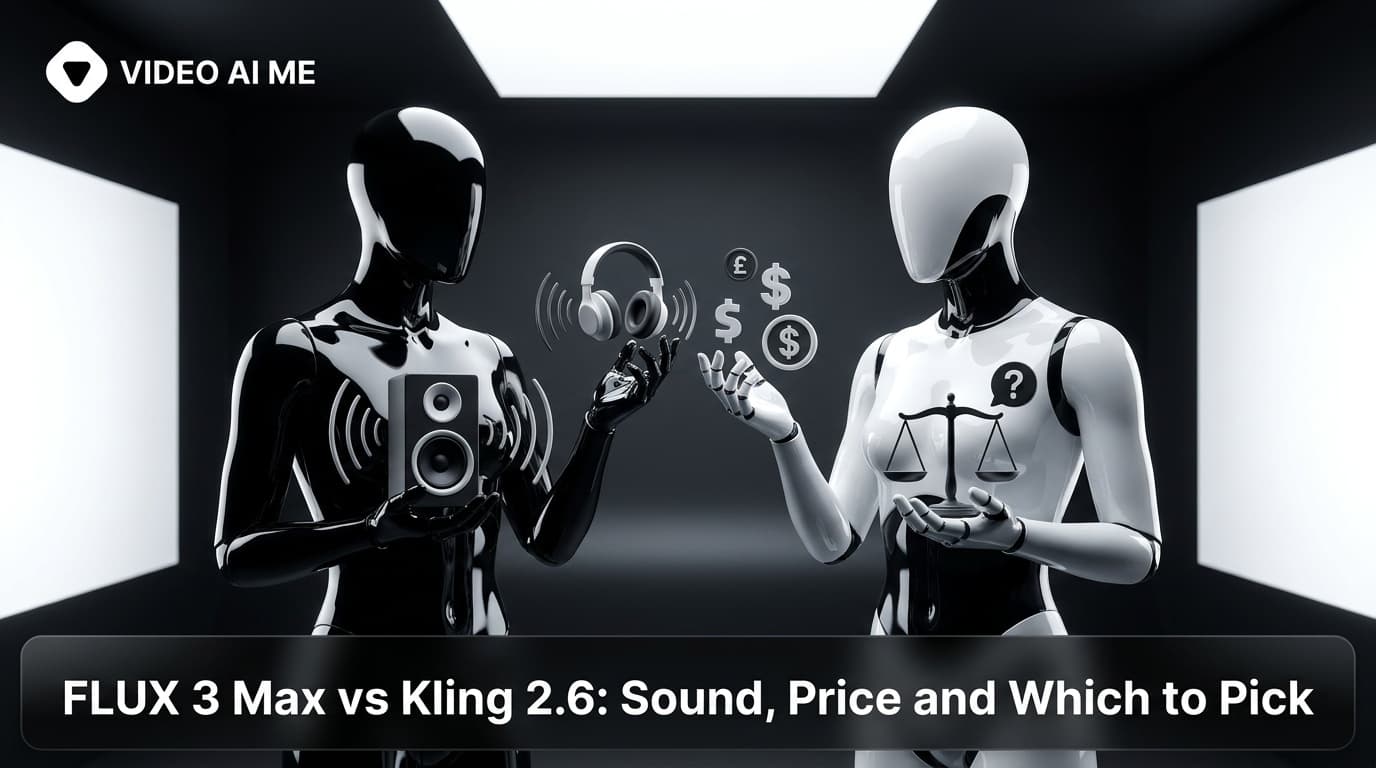
FLUX 3 Max vs Kling 2.6 comes down to sound and price. On VIDEO AI ME, Kling 2.6 animates an image into a silent 720p clip of 5 or 10 seconds for 7 credits per second. FLUX 3 Max costs 17 credits per second at 720p and adds text to video, generated audio, 1080p and 20 second clips.
That makes this less a quality contest than a question about what the clip is for. A silent product shot that will sit under your own voiceover is a different job from a creator clip that has to speak. Both models are in the same video model picker in the VIDEO AI ME editor and draw on the same plan credits, so the useful question is which brief goes to which.
FLUX 3 Max vs Kling 2.6: how do the specs compare?
| Spec on VIDEO AI ME | FLUX 3 Max | Kling 2.6 |
|---|---|---|
| Maker | Black Forest Labs | Kling AI |
| Modes | Text to video, image to video (your image is the start frame) | Image to video only |
| Clip length | 5 to 20s (5, 8, 10, 12, 15, 20) | 5 or 10s |
| Resolutions | 720p, 1080p | 720p |
| Audio | Generated in the same pass, always on | None, clips are silent |
| Credits per second | 17 at 720p, 29 at 1080p | 7 at 720p |
Read the table row by row and the split is clear. Kling 2.6 does one job, animating an image you already have, and does it at the lowest per-second rate of the pair. FLUX 3 Max covers more ground: it can start from a prompt alone, it returns sound with the picture, it renders 1080p, and it runs up to 20 seconds in one generation.
Kling's official site documents its own model lineup. This comparison covers Kling 2.6 as it runs in the VIDEO AI ME picker, which is the version your credits buy.
For framing, FLUX 3 Max offers these aspect ratios in the editor: auto, 9:16, 16:9, 1:1, 4:3, 3:4 and 21:9. Auto renders 16:9 for text to video and follows your image for image to video.
Which is cheaper, FLUX 3 Max or Kling 2.6?
Kling 2.6, per second. At 7 credits per second it costs well under half of FLUX 3 Max at 720p, which is 17 credits per second. One credit is one cent of generation cost.
Here is the same image to video clip on both:
| Clip length | Kling 2.6 720p (silent) | FLUX 3 Max 720p (with sound) | FLUX 3 Max 1080p (with sound) |
|---|---|---|---|
| 5s | 35 credits | 85 credits | 145 credits |
| 10s | 70 credits | 170 credits | 290 credits |
| 15s | Not offered | 255 credits | 435 credits |
| 20s | Not offered | 340 credits | 580 credits |
And here is what a monthly plan covers in ten second clips:
| Plan | Kling 2.6 720p | FLUX 3 Max 720p | FLUX 3 Max 1080p |
|---|---|---|---|
| Starter (1,400 credits, $29/mo) | 20 clips | 8 clips | 4 clips |
| Pro (5,600 credits, $99/mo) | 80 clips | 32 clips | 19 clips |
| Premium (12,000 credits, $199/mo) | 171 clips | 70 clips | 41 clips |
The comparison is not quite like for like, and that is the point to weigh. The Kling 2.6 number buys picture only. If the ad needs a spoken line, ambience or effects, that sound has to come from a separate audio step afterwards. The FLUX 3 Max number buys picture and sound in one pass. The VIDEO AI ME pricing page has the plan details, and the FLUX 3 Max pricing breakdown covers every duration and resolution.
When should you pick Kling 2.6 over FLUX 3 Max?
Kling 2.6 has real wins here, and for some briefs it is simply the right tool.
When you will replace the sound anyway. B-roll under a voiceover, product cutaways inside a longer edit, a looping shot under a music bed: none of these needs generated audio. With FLUX 3 Max, sound is part of every generation whether you keep it or not. With Kling 2.6, you pay for the picture you are going to use.
When you are animating a product photo at volume. If the job is turning a catalogue of still product shots into short motion clips, 7 credits per second lets you cover more of the catalogue on the same plan. A Pro plan covers 80 ten second Kling 2.6 clips a month.
When 5 or 10 seconds is the shot. Many cutaways and product moments are short. If the edit only needs five seconds of motion, a model built around 5 and 10 second clips fits the job.
When you already know how it behaves. If your team has a set of Kling prompts that work, there is no reason to abandon them for silent shots. The Kling AI complete guide and the Kling 2.6 prompt tips cover it in depth.
When should you pick FLUX 3 Max over Kling 2.6?
When the clip has to speak. A silent clip of a person cannot carry a line synced to their mouth. On FLUX 3 Max, you write the line into the prompt in double quotes with who says it, and the speech comes back with the picture. The guide to FLUX 3 Max sound and dialogue prompts shows how to write it.
When you do not have an image. Kling 2.6 on VIDEO AI ME needs one. FLUX 3 Max can start from a prompt alone, which matters when you are testing a concept before any product photography exists.
When the deliverable is 1080p. Kling 2.6 renders 720p in the picker. FLUX 3 Max renders 1080p at 29 credits per second.
When the beat needs more than 10 seconds. A product demo with a reaction, or a spoken hook followed by a reveal, often needs 12, 15 or 20 seconds. FLUX 3 Max generates all of those in one pass.
When the sound is part of the idea. The pump click, the fizz, the street noise behind a creator: on FLUX 3 Max you name those sounds in the prompt and they come back placed on the action.
Black Forest Labs also positions FLUX 3 Max as a post-trained variant of FLUX 3 Video, tuned for stronger prompt adherence and better visual quality, and optimized for lower latency. Those are the developers' claims, so check them on your own product with the test below.
How do you compare FLUX 3 Max and Kling 2.6 on the same image?
Image to video is the one mode both models share, so it is the fair test.
- Pick one product image you would really use in an ad. On FLUX 3 Max it becomes the first frame of the clip.
- Write the prompt as motion and sound, not appearance. The image already carries the look.
- Run it at 10 seconds and 720p on both. That is 70 credits on Kling 2.6 and 170 on FLUX 3 Max. Drop the sound sentence for the Kling run, since its clips are silent.
- Score the picture on both: does the product keep its shape and label, does the motion match what you wrote, does the camera do what you asked?
- Then score the FLUX 3 Max sound separately: does it land on the action, and is it something you would keep?
An image to video prompt for the test:
The serum bottle turns slowly on the bathroom shelf as a hand reaches in and lifts it out of frame. The camera holds, then drifts in slightly. A soft glass clink as it lifts, a tap running in the background, light acoustic music.
If Kling 2.6 wins on picture and you need sound, the honest comparison is Kling 2.6 plus your separate audio step against FLUX 3 Max in one pass. The full method for animating a product shot is in the guide to FLUX 3 Max image to video.
Whichever you ship, watch any generated speech and lip sync before the clip goes live. Keep on-screen text and logos out of the prompt too: small text and exact logos inside generated frames are unreliable on every video model, so add them after export, in your own editing tool.
What are the limits of FLUX 3 Max to know?
| Limit | FLUX 3 Max on VIDEO AI ME | What to do |
|---|---|---|
| Longest single clip | 20 seconds | Split longer pieces into scenes, join them in the editor |
| Reference input | One image, as the start frame | Use Seedance 2.5 or MiniMax H3 Max for several references |
| Your own audio track | Not accepted | Boreal takes an uploaded track |
| Generated audio | Always on | Replace the track with your own audio afterwards |
Can you use Kling 2.6 and FLUX 3 Max in the same ad?
Yes, and for many ads the split is natural. Generate the spoken creator moment on FLUX 3 Max, where the line and the room sound come back with the picture, and generate the silent product cutaways on Kling 2.6 at 7 credits per second. Join them in the editor, add captions, and export one ad.
Keep each clip to one scene and one idea. A hook, a product moment and a call to action are three clips, and each one can come from the model that fits it. Check the placement specs for the platform first. TikTok for Business is the place to start for vertical ads, and Meta for Business covers Facebook and Instagram placements.
FLUX 3 Max vs Kling 2.6: which should you choose?
- Silent motion from a product image, sound added later: Kling 2.6.
- Product catalogue animation at volume: Kling 2.6.
- A clip with spoken lines, ambience or effects: FLUX 3 Max.
- No image yet, prompt only: FLUX 3 Max.
- 1080p, or longer than 10 seconds: FLUX 3 Max.
When a brief could go either way, run the same image through both and judge the clips side by side.
Frequently Asked Questions
Is FLUX 3 Max better than Kling?
They fit different jobs. On VIDEO AI ME, Kling 2.6 animates an image into a silent 720p clip at 7 credits per second. FLUX 3 Max costs more but adds text to video, generated sound, 1080p and clips up to 20 seconds. Pick by what the clip has to do.
Does Kling 2.6 generate audio?
Not on VIDEO AI ME. Kling 2.6 clips in the picker come back silent, so any sound has to be added afterwards. FLUX 3 Max generates audio in the same pass as the picture, including ambience, effects, music and the spoken lines you write.
Can Kling 2.6 do text to video?
Not on VIDEO AI ME. Kling 2.6 is image to video only in the picker, so you need an image to start from. FLUX 3 Max does both text to video and image to video, and with an image attached it uses that image as the first frame.
Which is cheaper, Kling 2.6 or FLUX 3 Max?
Kling 2.6, per second: 7 credits against 17 for FLUX 3 Max at 720p. A 10 second clip is 70 credits on Kling 2.6 and 170 on FLUX 3 Max. The Kling clip is silent, though, so add the cost of any audio step before comparing.
How long can Kling 2.6 videos be?
On VIDEO AI ME, Kling 2.6 generates 5 or 10 second clips. FLUX 3 Max offers 5, 8, 10, 12, 15 and 20 seconds in one generation. For anything longer, generate separate scenes and join them in the editor.
Which is better for TikTok ads, Kling or FLUX 3 Max?
If the ad has a creator speaking on camera, FLUX 3 Max, because the speech comes back with the picture. If you need silent product cutaways to sit under your own voiceover or music, Kling 2.6 is the cheaper way to make them. Many ads use both.
Frequently Asked Questions
Share
AI Summary

Paul Grisel
Paul Grisel is the founder of VIDEOAI.ME, dedicated to empowering creators and entrepreneurs with innovative AI-powered video solutions.
@grsl_frReady to Create Professional AI Videos?
Join thousands of entrepreneurs and creators who use VIDEO AI ME to produce stunning videos in minutes, not hours.
- Create professional videos in under 5 minutes
- No video skills experience required, No camera needed
- Hyper-realistic actors that look and sound like real people
Get your first video in minutes
Related Articles
FLUX 3 Max Cinematic Video: 21:9 Brand Films at 1080p
How to shoot a cinematic brand film with FLUX 3 Max: 21:9 at 1080p, 20 second single takes, camera language, sound design, copy-paste prompts and a cost table per shot.

FLUX 3 Max Meta Ads: A Creative Testing Workflow
How to feed a Meta creative test with distinct FLUX 3 Max variants: credit budgets per asset, 720p drafts, 1080p winners, placement ratios and one-variable prompts.

FLUX 3 Max for Agencies: Client Volume and Cost per Ad
How agencies can price, draft and deliver client video with FLUX 3 Max: cost per deliverable, the 720p draft and 1080p final workflow, and keeping a batch on brand.