
Seedance 2.5 UGC Prompt Templates for Ads
Six fill in the blank UGC prompt templates for Seedance 2.5, each with a fully filled worked example, plus how to direct dialogue when the audio is generated.
A UGC prompt template is a shot description with the changeable parts pulled out and marked, so one structure that worked can be refilled for a different product in about a minute. Below are six of them for Seedance 2.5, one for each UGC structure that actually gets used in paid social: the hook, problem then solution, the demo, the testimonial, before and after, and the unboxing. Each template is followed by a fully filled in worked example so you can see the finished form, not just the skeleton.
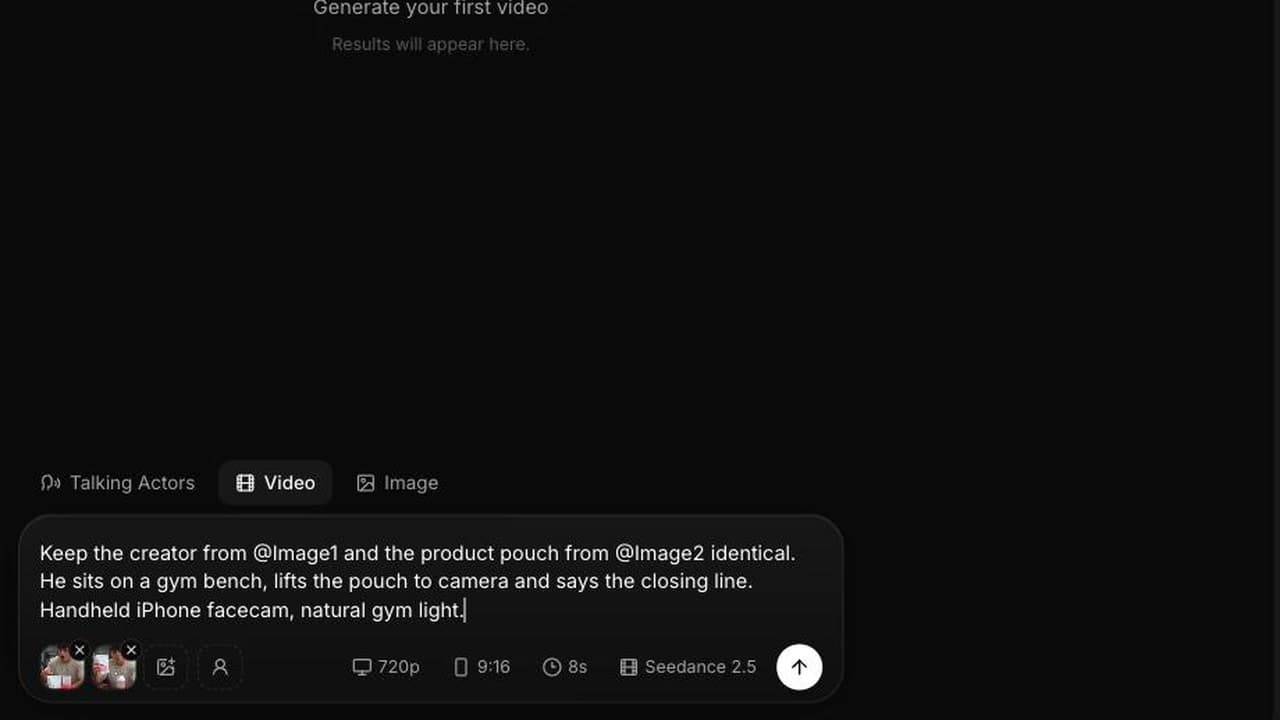
Before the templates, here is what a filled in UGC brief actually produces. The same brief was run through Seedance 2.5 and Seedance 2.0, side by side.
Both renders hold the parts a template controls: the setting, the propped phone angle, the product staged in frame, the straight to camera delivery, and no music or captions. The closing beat is where they split. The brief asks the creator to lift the product to camera on the last line, and the 2.5 render does it while the 2.0 render leaves it on the bench. That beat is worth writing explicitly in every template below, because it is the frame that carries the product.
How a Seedance 2.5 UGC prompt template is built
Every template below uses the same seven slots. Fill all of them. Empty slots are where the model invents things you did not ask for.
- [CREATOR TYPE] the person on camera: age band, look, wardrobe, energy.
- [PRODUCT] the physical thing, described so it can be rendered: shape, material, colour, size in the hand.
- [SETTING] the room and time of day, with the light source named.
- [PROBLEM] the annoyance the viewer recognises, in their words.
- [BENEFIT] what changes, without a performance claim you cannot back up.
- [DIALOGUE] the spoken line, in quotes, written the way a person talks.
- [SOUND] the ambience, plus an explicit note about music.
Two structural rules. Write it as continuous prose, since Seedance 2.5 reasons about the shot as a whole rather than reading a keyword list. And to hold the same creator and product across a batch, attach two to four reference images and address them as @Image1 through @Image4, binding each attribute to a specific image. The mechanics are in our post on making AI UGC with Seedance 2.5.
Template 1: the hook
The whole job of this one is the first second. One person, one line, one small physical action.
Handheld medium close up, eye level, slight natural sway. [CREATOR TYPE] stands in [SETTING], holding [PRODUCT] loosely at chest height. She looks straight into the lens and says, "[DIALOGUE]", then [SMALL ACTION with the product]. [SOUND]. Natural colour, soft shadows, photoreal.
Worked example:
Handheld medium close up, eye level, slight natural sway. A woman in her late twenties in a grey sweatshirt, hair tied back, stands in a small tiled bathroom lit by a bare mirror light, holding a slim amber glass dropper bottle of hair oil at chest height. She looks straight into the lens and says, "Everyone told me to cut it. I bought this instead." Then she pulls the dropper out and lets one drop fall back into the bottle. Extractor fan hum and a dripping tap, no music. Natural colour, soft shadows, photoreal.
Settings: 8 seconds, 9:16, 480p for testing then 720p.
Template 2: problem then solution
Two halves in one shot. Name the turn in the middle so the model actually pivots.
Handheld medium shot in [SETTING]. [CREATOR TYPE] is mid [PROBLEM SITUATION], visibly irritated, and says to camera, "[PROBLEM DIALOGUE]". Halfway through the shot she stops, picks up [PRODUCT] from [PLACE], and the tone changes: she [ACTION showing BENEFIT] and says, "[SOLUTION DIALOGUE]". The light and framing stay the same, only her energy changes. [SOUND]. Photoreal.
Worked example:
Handheld medium shot in a cramped home office at night, one desk lamp and a laptop screen as the light. A man in his mid thirties in a creased shirt is hunched over a laptop balanced on two hardback books, neck at an angle, and says to camera, "This is my third book tower this year." Halfway through the shot he stops, picks up a folded aluminium laptop stand from the floor beside the desk, unfolds it in one motion and sets the laptop on it at eye level, sitting up straight. He says, "That took four seconds." The light and framing stay the same, only his posture changes. Keyboard, a chair creak and street noise below, no music. Photoreal.
Settings: 12 seconds, 9:16 or 4:3, 720p.
Template 3: the demo
Hands and product, close. No talking head, so the dialogue becomes voiceover and the sound design carries the shot.
Close up, camera slightly above, locked off or very slow push in. Hands of [CREATOR TYPE] use [PRODUCT] on [SURFACE OR SUBJECT] in [SETTING], completing one full action from start to finish: [SPECIFIC ACTION SEQUENCE]. Keep the product label facing camera throughout. A calm voice off screen says, "[DIALOGUE]". [SOUND]. Shallow depth of field, photoreal.
Worked example:
Close up, camera slightly above, very slow push in. The hands of a woman in her thirties, sleeves pushed up, portion cooked rice, chicken and greens into three matte black rectangular meal prep containers on a scratched wooden kitchen counter, clipping each lid shut and stacking them in a line. Morning light from a window on the left. Keep the container lids and their grey clasps facing camera throughout. A calm voice off screen says, "Sunday takes twenty minutes and then I stop thinking about lunch." Lids clicking, a spoon on plastic, a radio somewhere in the flat, no music. Shallow depth of field, photoreal.
Settings: 12 seconds, 1:1 or 9:16, 720p.
Template 4: the testimonial
Handle this one carefully. A generated person is not a customer, so write the line as brand voice or dramatisation, keep it to an opinion or an experience of using the thing, and never attach a fabricated name, rating or result. The FTC Endorsement Guides are the document to read before you write dialogue that sounds like a review.
Static or barely moving medium close up, [CREATOR TYPE] seated in [SETTING], [PRODUCT] visible in frame beside them or in hand. They speak conversationally to a point just off lens, pausing once mid sentence: "[DIALOGUE, an experience rather than a claim]". They glance down at the product, then back. [SOUND]. Natural grade, photoreal.
Worked example:
Static medium close up, a man in his forties in a navy quarter zip seated at a kitchen table in soft late afternoon light from a window behind camera, a white plastic tub of electrolyte powder with a blue label on the table beside a half full glass. He speaks conversationally to a point just off lens, pausing once mid sentence: "I started drinking it because the gym gave me a sample, and then I noticed I was actually finishing my water." He glances down at the tub, then back. Room tone and a distant boiler, no music. Natural grade, photoreal.
Settings: 8 seconds, 4:3 or 9:16, 720p.
Template 5: before and after
One continuous shot with the change happening inside it, which is more convincing than a cut and cheaper than two generations.
Locked off shot of [SUBJECT] in [SETTING] at the start state: [BEFORE DESCRIPTION]. [CREATOR TYPE] enters frame, applies or uses [PRODUCT] with one clear gesture, and steps back out of frame. The shot holds on the same framing while [AFTER DESCRIPTION] becomes visible. Keep the camera, the light and the framing identical from first frame to last. [SOUND]. Photoreal.
Worked example:
Locked off close up of a bathroom mirror shelf at night under a warm vanity light, a smudged and streaked mirror surface behind it. A woman in her twenties in a towel enters frame, uncaps a slim white pen shaped applicator, draws it once across her front teeth in the reflection, caps it and steps back out of frame. The shot holds on the same framing while her reflection re enters and smiles, teeth a shade brighter under the same light. Keep the camera, the light and the framing identical from first frame to last. Tap water running in the background, a cap click, no music. Photoreal.
Settings: 12 seconds, 9:16, 720p. Keep the change modest, because an exaggerated after reads as fake and will get flagged by reviewers.
Template 6: the unboxing
Anticipation is the whole format. Slow the hands down and let the sound do the work.
Overhead or high angle shot of a table in [SETTING], [PACKAGE DESCRIPTION] centred in frame. Hands of [CREATOR TYPE] enter and open it slowly: [SPECIFIC OPENING SEQUENCE, three steps]. [PRODUCT] is lifted out and turned once toward camera. [DIALOGUE or explicit silence]. [SOUND, with the packaging sounds named]. Warm even light, photoreal.
Worked example:
High angle shot of a pale oak table in a bright living room, a small dark green rigid box with a cream ribbon centred in frame. The hands of a woman in her early thirties, one thin gold ring, enter and open it slowly: she pulls the ribbon loose, lifts the lid straight up, and folds back a sheet of cream tissue. A thin gold chain necklace on a card is lifted out and turned once toward camera, catching the light. She says nothing. Ribbon sliding on card, tissue paper, a quiet inhale, no music. Warm even window light, photoreal.
Settings: 12 seconds, 1:1 or 9:16, 720p.
Dialogue direction, because the audio is generated
Seedance 2.5 generates sound with every clip, including lip synced speech, and it is included in the price. That makes the written line a performance direction, not just a script.
Write the line the way the person would actually say it, false start intact. "I mean, I did not expect it to work" delivers differently from "I did not expect it to work." Keep a spoken line under about 15 words for an 8 second clip, since a crowded line makes the delivery rush and the lip sync drift.
Direct the tone in the surrounding prose rather than in the line itself: "she says it flatly, almost bored" or "he laughs halfway through the sentence". And always state the music, because a music bed under a UGC style clip is the fastest way to make it read as an ad.
For the ambient layer, name two or three specific sounds instead of a mood. "A fridge hum, a fork on a plate, muffled traffic" gives you a room. "Cosy kitchen atmosphere" gives you whatever the model feels like.
Turning one UGC prompt template into a batch of ads
Fill a template once, generate at 480p at 23 credits per second, and look at whether the performance and the line land. Then change exactly one slot at a time. Six variants of the hook template with six different [DIALOGUE] lines and everything else identical is a clean hook test. Six variants with six different [SETTING] values is a context test. Changing both at once tells you nothing.
Once a variant wins, regenerate it at 720p at 48 credits per second with the prompt otherwise unchanged. An 8 second 480p test is 184 credits and the 720p finish is 384, so a tested and delivered hook costs about 568 credits of a plan allowance.
To hold the same creator across the whole batch, attach their reference image as @Image1 and the product as @Image2 and bind them by name in every prompt. If you want more finished structures to work from, the Seedance 2.5 prompt examples library has 25 complete prompts, the Seedance 2.0 UGC prompts still work on the older model, and our breakdown of Seedance 2.5 for TikTok UGC ads covers the platform specifics. For structural inspiration before you fill anything in, these AI UGC ad examples are worth a scroll, and the TikTok for Business creative guidance is the current word on what the platform rewards.
Frequently Asked Questions
What is a UGC prompt template?
It is a shot description with the changeable parts marked as variables, such as [PRODUCT], [SETTING] and [CREATOR TYPE], so a structure that worked once can be refilled for a different product. You fill every slot, generate, then change one slot at a time to make variants.
How do I keep the same creator across a whole batch of UGC ads?
Attach two to four reference images and address them in the prompt as @Image1 through @Image4, binding each attribute explicitly, for example "keep the woman from @Image1, same face, same hair, same sweatshirt". Re-attach the identical files for every generation rather than continuing from a previous output.
Do I have to write the dialogue into the prompt?
Yes, if you want to control it. Seedance 2.5 generates lip synced speech with the clip at no extra cost, so the written line is the performance direction. Put it in quotes, keep it under about 15 words for an 8 second clip, and direct the tone in the prose around it.
How do I stop Seedance 2.5 adding background music?
Write "no music" explicitly in the audio part of the prompt, and name the two or three ambient sounds you do want instead. Audio is always generated, so the choice is between the sound you specified and the sound the model picked.
Can I write a testimonial with a generated person?
Write it as brand voice or dramatisation rather than as a real customer verdict, keep it to an experience of using the product, and never attach a fabricated name, rating or result. The FTC Endorsement Guides expect an endorsement to reflect the honest opinion of a real endorser.
What does one UGC clip cost to make?
At 480p, Seedance 2.5 costs 23 credits per second, so an 8 second test is 184 credits. At 720p it is 48 credits per second, so the same clip finished is 384 credits. Testing at 480p and finishing one winner at 720p costs about 568 credits per delivered ad.
Frequently Asked Questions
Share
AI Summary

Paul Grisel
Paul Grisel is the founder of VIDEOAI.ME, dedicated to empowering creators and entrepreneurs with innovative AI-powered video solutions.
@grsl_frReady to Create Professional AI Videos?
Join thousands of entrepreneurs and creators who use VIDEO AI ME to produce stunning videos in minutes, not hours.
- Create professional videos in under 5 minutes
- No video skills experience required, No camera needed
- Hyper-realistic actors that look and sound like real people
Get your first video in minutes
Related Articles

FLUX 3 Max UGC Ads: Workflow, Prompts and Costs
A practical workflow for creator-style UGC ads with FLUX 3 Max: the four-part prompt, the hooks worth testing, the checks before launch and the real cost per finished ad.
FLUX 3 Max UGC Prompts: 5 Fill-In-the-Blank Templates
Five 9:16 FLUX 3 Max UGC prompt templates (testimonial, unboxing, product in hand, problem-solution and street style), each with a filled example and its credit cost.
MiniMax H3 UGC Prompt Templates for Ad Creative
Reusable UGC prompt templates with the variables marked, so you can produce a whole batch of creator style ads by swapping four fields.