
Explainer Video Company vs AI: Costs, Timelines and How to Choose
An explainer video company charges a published $2,400 to $10,000+ and takes two to six weeks. AI tools make a short explainer the same day for a few dollars, with less control. Here is how to choose.
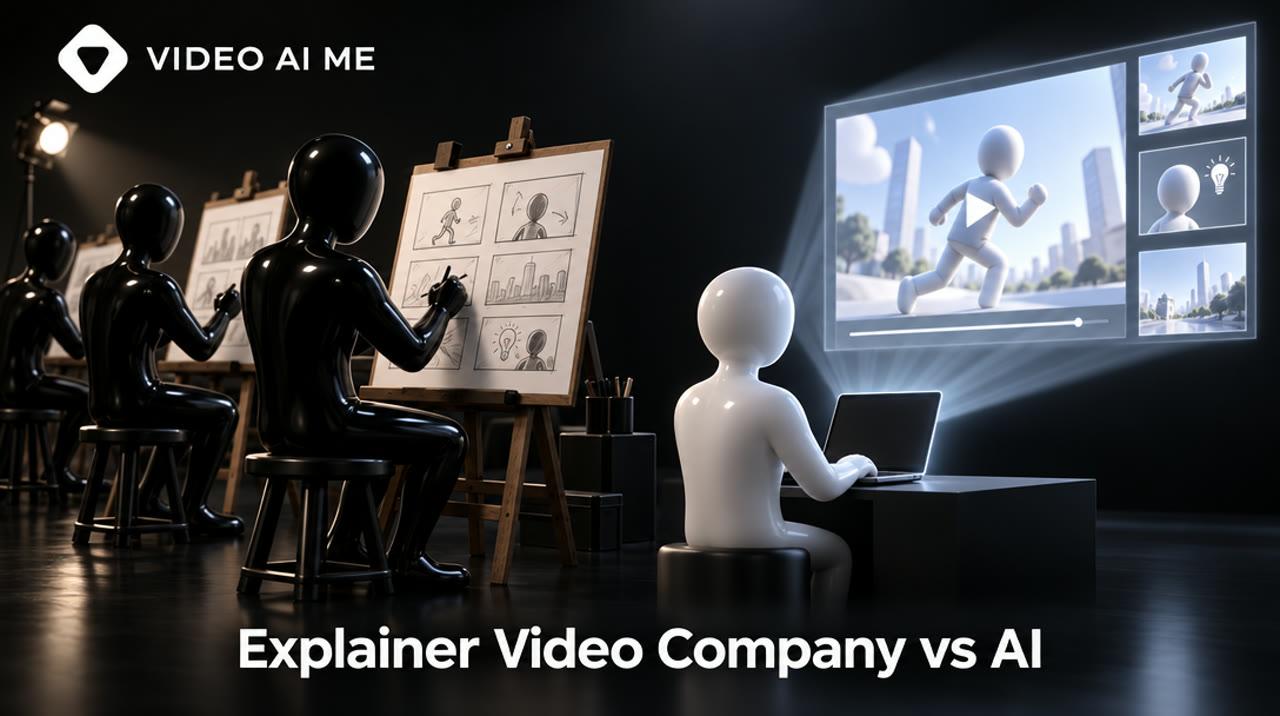
An explainer video company writes, designs and animates a custom video for you, typically for a published $2,400 to $10,000 or more and two to six weeks of work. AI tools produce a short explainer for a few dollars of generation in the same day, with less control. Choose by how long the video must live.
What does an explainer video company actually do?
An explainer video company sells a managed process, not just animation: discovery, positioning, script, storyboard, illustration, animation, voiceover, sound and revisions, run by a producer. You are paying for judgment about what to say as much as for the pictures.
The stages are consistent across studios:
- Discovery. You describe the product, the audience and the goal of the video.
- Script. The studio writes and you approve. This is where most projects are won or lost.
- Storyboard and style frames. You see the look before anything moves.
- Production. Custom artwork, animation, voiceover, music and sound design.
- Revisions and delivery. A fixed number of rounds, then final files.
Studios differ in what they specialize in. Demo Duck, for example, lists animation, live action and mixed media across explainer, commercial and testimonial work, and does not publish prices. Others are animation-only shops with fixed packages. If you are still deciding what kind of video you need, start with what an explainer video is.
How much does an explainer video company cost in 2026?
Published prices for a custom animated explainer start around $2,400 and pass $10,000 for longer or more complex work. Many studios quote on request, so the public numbers below come from the companies that do print them.
Explainer Video Company lists three fixed project prices on its site as of 2026-11-10:
| Package | Published price | Length | Revisions |
|---|---|---|---|
| Launch | $2,400 to $4,000 | Up to 60 seconds | 2 rounds |
| Growth | $4,500 to $7,500 | Up to 90 seconds | 3 rounds |
| Enterprise | $8,000 to $10,000+ | 90 to 180 seconds | Unlimited within approved scope |
It describes each figure as "a fixed project price, not an hourly estimate".
A newer model sits between agencies and software. Video Explainers describes its work as "made with AI, finished by passionate video experts" and publishes subscription pricing: $1,499 a month for 4 videos, $3,499 for 10 and $7,499 for 25, with one video counted as up to 90 seconds. A single video of up to 60 seconds is listed at $497.
Then there is doing it yourself with AI. On VIDEO AI ME, 1 credit is 1 cent and the default model, MiniMax H3 Max at 768p, costs 8 credits per second. Sixty seconds of footage is 60 x 8 = 480 credits, or $4.80, before retakes. That figure covers generation only. Your script, your review time and any discarded takes are on top.
Lowest published price for one explainer of up to 60 seconds. The self-serve figure is generation spend only and excludes your time and retakes.
View the data as a table
| Route | Starting price |
|---|---|
| Custom company, Launch package | $2,400 |
| AI-plus-human studio, single video | $497 |
| AI-plus-human subscription, per video (4 for $1,499) | $374.75 |
| Self-serve AI, 60 seconds of default-model footage | $4.8 |
Source: explainervideocompany.com and videoexplainers.com pricing pages, read 2026-11-10; VIDEO AI ME pricing, updated 2026-10-24
The gap between rows is not waste. It is labor: a strategist, a writer, an illustrator, an animator and a producer. The question is whether your video needs that labor.
For line-item detail on what drives a quote (length, style, voice talent, rights), see the breakdown of explainer video production cost.
What to check inside any quote
Two quotes with the same total can cover very different work. Before comparing numbers, line up what each one includes:
- Script. Written by the studio, or supplied by you? How many rounds?
- Voiceover. Professional talent or synthetic voice, and which usage rights?
- Music and sound design. Licensed track, custom score or none?
- Versions. One 16:9 master, or also vertical and square cutdowns for ads?
- Source files. Needed if you ever want to update a price, a screen or a logo without going back to the studio.
- Updates. What does a change cost six months later?
The last point is where custom video quietly gets expensive. A product that changes often turns every update into a new invoice, while an AI-made explainer is simply regenerated from an edited brief.
Why the searches are so expensive
Advertisers pay more for a click from someone looking to hire than from someone looking for software.
Average Google Ads cost per click in the United States, by search term.
View the data as a table
| Search term | Google Ads CPC |
|---|---|
| explainer video production | $74.21 |
| animated explainer video production | $64.27 |
| explainer video agency | $56.48 |
| explainer video company | $41.86 |
| animated explainer video company | $36.77 |
| animated explainer video maker | $23.28 |
Source: DataForSEO, Google Ads data for the United States, pulled 2026-11-10
A studio that pays $41.86 for one click on "explainer video company" has to recover that in project fees. It is one reason minimums rarely sit below a few thousand dollars.
How long does each route take?
A custom studio project takes weeks, an AI-plus-human studio takes days, and self-serve AI takes an afternoon of your own work. The slowest step in every route is the same: agreeing on the script.
| Route | Published or typical timeline | What sets the pace |
|---|---|---|
| Custom explainer company | 2 to 6 weeks from kickoff for a standard 60 to 90 second project, per Explainer Video Company | Script approval, storyboard sign-off, revision rounds |
| AI-plus-human studio | 24 hours to 5 business days depending on plan, per Video Explainers | Queue priority and how clear your brief is |
| Self-serve AI tool | Same day. Each generation takes minutes, not seconds | How fast you write, review and regenerate |
Explainer Video Company notes that delays most often come from slow client-side script approval. That is worth hearing whichever route you pick. A studio cannot save a team that has not decided what the product is for.
What can AI explainer tools do, and where do they stop?
AI tools can turn a short written brief into a narrated, animated explainer in a fixed visual style, quickly and cheaply. They stop at custom brand illustration, exact on-screen text, precise UI and long narrative films.
Here is what VIDEO AI ME does, stated narrowly. You write a brief of up to 600 characters, pick one of three styles, and the AI explainer video feature produces the video:
| Style | Length range | Suits |
|---|---|---|
| Vox style | 10 to 40 seconds | Social explainers, product angles, ad hooks |
| Paint | 10 to 60 seconds | Friendly walkthroughs, simple concepts |
| Chalkboard | 30 to 120 seconds | Lessons, step-by-step processes, education |
The credit estimate is shown before you confirm a run. Beyond that feature you can generate individual scenes with text-to-video in any look you can describe, then trim, merge, add voiceover and captions.
This paper-cutout opening was generated that second way: text-to-video on MiniMax H3 Max, 8 seconds, 64 credits ($0.64), from exactly the prompt shown.
Notice that the narration introduces a character and a problem in one sentence, which is the job of an explainer's first eight seconds.
MiniMax H3 Max · 8s · 16:9
See the prompt that made this video
Paper cutout stop-motion animation: a small bakery made of layered coloured paper, a paper character with an apron standing at the counter while paper envelopes pile up around her. A warm male narrator says: "Meet Sam. Sam runs a bakery, and her inbox is on fire." Handmade collage style, soft shadows, no text on screen, no logos.
Paper cutout stop-motion animation: a small bakery made of layered coloured paper, a paper character with an apron standing at the counter while paper envelopes pile up around her. A warm male narrator says: "Meet Sam. Sam runs a bakery, and her inbox is on fire." Handmade collage style, soft shadows, no text on screen, no logos.
- Video
- MiniMax H3 Max
- 8s
- 16:9
Name the character, show the problem physically (envelopes piling up) and keep the narration under 20 words. Repeat the first sentence of the style description in every scene prompt so the look stays consistent.
Paper cutout stop-motion animation: the same small bakery made of layered coloured paper, the paper character with an apron smiling as the paper envelopes fold themselves into one neat stack and slide into a single paper tray. A warm male narrator says: "One inbox for orders, questions and invoices. Sam gets her mornings back." Handmade collage style, soft shadows, no text on screen, no logos.
- Video
- MiniMax H3 Max
- 8s
- 16:9
Change the business and the problem, keep the structure: scene one shows the mess, scene two shows it resolved.
The honest limits
- On-screen text. Captions are the only on-screen text in the editor. Logos, prices and labelled diagrams are added after export.
- Character consistency. Generated scenes can drift between clips. A studio draws one character and keeps it.
- Your interface. No generator reproduces your product UI correctly. Record the screen.
- Length. The longest built-in explainer style is 120 seconds.
- Strategy. The tool animates the brief you give it. It will not tell you the brief is wrong.
Style-specific guides: cutout animation explainers, the Vox style cost breakdown and the step-by-step on making an explainer video with AI.
Explainer video company vs AI: which should you choose?
Choose a company when the video is a long-lived asset that carries your brand, and AI when the video is disposable, testable or needed this week. Most businesses need both at different moments.
| Your situation | Best route | Why |
|---|---|---|
| Homepage hero video that will run for two years | Explainer video company | The cost spreads over years, and brand quality matters on every visit |
| Product is hard to explain and positioning is unsettled | Explainer video company | You need the script and discovery work more than the animation |
| Custom characters or a house illustration style | Explainer video company | Consistency across scenes is hand work |
| Exact UI, labelled diagrams, legal text on screen | Company, or screen recording plus an editor | Generators cannot place precise text |
| Ad variations for paid social | AI tool | You need ten versions, and most will lose |
| Explaining one feature, one offer or one FAQ | AI tool | Short shelf life, low stakes |
| Pre-launch, product still changing monthly | AI tool | A $5,000 video about last month's product is a sunk cost |
| Need several videos a month, no in-house time | AI-plus-human studio | Someone else operates the tools and checks quality |
| Fundraising or enterprise sales deck video | Company or AI-plus-human studio | A reviewer catches errors before investors do |
A useful test: divide the price by the months the video will be in use. A $6,000 homepage explainer used for 24 months costs $250 a month. The same $6,000 for a campaign that ends in six weeks is a different decision.
How do you vet an explainer video company?
Ask for the price, the timeline and the revision policy in writing before the first call ends. Good studios answer all three without hedging.
Questions to ask:
- Is the price fixed or estimated? What changes it?
- Who writes the script, and how many script rounds are included?
- How many revision rounds, and at which stages?
- What is the delivery date, and is it in the contract?
- Do I get source files, cutdowns and vertical versions, or only one MP4?
- Who owns the artwork and the voiceover rights, and for which media?
- Do you use AI in production, and where? Who reviews it?
- Can I see three videos for companies of my size, with the brief they started from?
Red flags:
- A portfolio with one style only, when you need another.
- No named producer or point of contact.
- Revisions "as needed" with no number.
- A quote that arrives before anyone asked about your audience.
What the contract should state: scope and length, fixed price, payment schedule, delivery date, revision rounds, deliverable formats and ownership. If you are comparing agencies for ads rather than explainers, the same checklist applies with the numbers in video ads agency cost.
What does a hybrid plan look like in practice?
A hybrid plan uses AI to find the message and a studio to make it permanent. You stop paying agency rates to discover what you should have said.
- Week 1. Write four different 600-character briefs for the same product: four angles. Generate each as a short AI explainer.
- Weeks 2 and 3. Run them as ads or show them to ten customers. Note which explanation people repeat back correctly.
- Week 4. Take the winning angle to a studio as your brief. You arrive with a tested script, which shortens the slowest stage.
- Ongoing. Keep AI for feature updates, seasonal offers and ad variations. Refresh the studio film when the product changes shape.
Rough budget for the testing phase on VIDEO AI ME: Starter is $29 a month for 1,400 credits and Pro is $99 for 5,600. There is no free plan and no trial. Business accounts can get one demo video during signup, with no card. Plans and limits are on pricing, and real outputs are in the explainer video examples.
If you would rather operate templates yourself, compare the options in animated explainer video makers.
Frequently Asked Questions
Share
AI Summary

Ready to Create Professional AI Videos?
Join thousands of entrepreneurs and creators who use VIDEO AI ME to produce stunning videos in minutes, not hours.
- Create professional videos in under 5 minutes
- No video skills experience required, No camera needed
- Hyper-realistic actors that look and sound like real people
Get your first video in minutes
Related Articles
AI Product Video Generator: Turn One Photo Into Ad-Ready Video
An AI product video generator animates a product photo into short ad footage. One good photo and about $0.64 of generation budget makes an 8-second clip, and ten variations cost $6.40.

AI Influencer Marketing: How Brands Use Virtual Creators, Costs and Risks
AI influencer marketing uses a virtual creator to promote products the way a human influencer would. It costs from $29 a month to produce, and FTC, platform and EU disclosure rules all apply.
Real Estate Video Marketing: 9 Video Types That Win Listings
Real estate video marketing works when each video has one job. These nine types cover trust, listings and leads, and only the walkthrough and the client testimonial need a real shoot.