
TikTok Ad Examples: 9 Formats That Work and How to Recreate Each One
Nine repeatable TikTok ad formats, from testimonial to unboxing to how-to, each with its second-by-second structure, the product it suits and a prompt to recreate it for under $2.
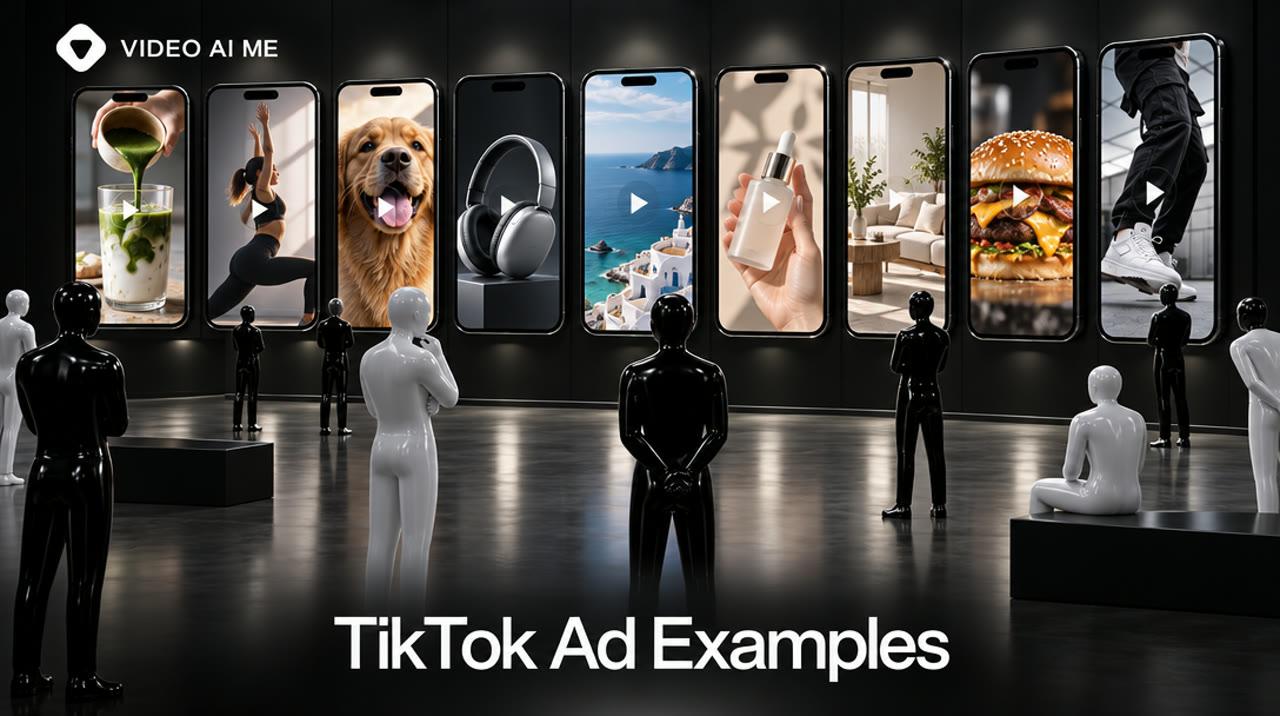
The most useful TikTok ads examples are formats, not famous campaigns. Nine structures cover almost every in-feed ad a small business can run: testimonial, founder story, comment reply, unboxing, problem and fix, packshot, three reasons, how-to and routine. Each one below comes with its structure, the product it suits and a prompt to recreate it.
What do TikTok ads examples that work have in common?
They look like posts, they make their point in the first seconds, and they ask for one action. That is not opinion: it is the checklist in TikTok's creative best practices for performance ads.
That page tells advertisers to:
- Orient vertically at 9:16 and shoot in at least 720p.
- Introduce the proposition in the first 3 seconds.
- Prioritize the hook in the first 6 seconds.
- Use sound or music.
- Keep on-screen text to about 5 to 10 words per second.
- End with a clear call to action.
Most "best TikTok ads" roundups show campaigns from large brands: a celebrity, a hashtag challenge, a production crew. They are fun to read and hard to copy. A 5-person company cannot recreate a celebrity partnership, but it can recreate a format.
So this guide is organized by format. For each one you get the structure in seconds, the kind of product it fits, and how to produce it. We do not quote results for any of them, because a format has no universal conversion rate: your offer, audience and price decide that.
Which 9 TikTok ad formats should you study?
Start with the nine below. They split into three groups by what leads the video: a person, the product or a lesson.
| # | Format | Leads with | Best for | Typical build |
|---|---|---|---|---|
| 1 | Testimonial to camera | A person | Products with a clear before and after in daily life | 1 talking clip |
| 2 | Founder story | A person | New brands, services, coaching | 2 talking clips |
| 3 | Comment reply | A person | Handling one specific objection | 1 talking clip |
| 4 | Unboxing | The product | Giftable, well-packaged goods | 1 point-of-view clip |
| 5 | Problem and fix | The product | Products that solve a visible annoyance | 2 clips |
| 6 | Packshot | The product | Design-led and premium items | 1 clip |
| 7 | Three reasons | A lesson | Considered purchases, apps, SaaS | 3 clips |
| 8 | How-to | A lesson | Products that need explaining | 3 clips |
| 9 | Routine | A lesson | Beauty, fitness, food, daily-use goods | 2 clips |
All nine run as standard in-feed ads, which TikTok's video ads specifications accept in 9:16 at 540 x 960 pixels or larger. If you post them to your own account first, the ones that perform can also run as Spark Ads, the format TikTok describes on its Spark Ads help page as using organic posts in your advertising.
Which examples put a person on camera?
Use a person when the buyer needs to trust someone before they trust the product. Three formats do this, and they differ in who is talking and why.
1. Testimonial to camera
One person, phone held at arm's length, says what changed for them.
- 0 to 3 seconds: the outcome, stated plainly. "I stopped buying plastic bottles three months ago."
- 3 to 8 seconds: the product in hand and the one reason it worked.
- Last second: what to do next.
It fits products with an everyday payoff. Keep the claim modest and specific. A generated actor can deliver the line, but must not be presented as a real customer: see our AI UGC ads FTC disclosure guide.
2. Founder story
The person who made the product explains why. It is the format for brands nobody has heard of yet.
- Clip 1: the frustration that started it, in one sentence.
- Clip 2: what they built and who it is for.
This works best when it is really you. If you are camera-shy, a custom actor made from one photo of you is an option, and filming yourself on a phone is still the most credible version.
3. Comment reply
The video opens as an answer to a question a customer asked. It turns an objection into the hook.
- 0 to 2 seconds: restate the question. "Does it actually fit in a carry-on?"
- 2 to 8 seconds: show the answer.
Use a question real customers ask. The comment sticker itself is added in the TikTok app when you post, not in the video file.
A woman in her thirties stands in a hallway next to a small grey cabin suitcase, filming herself selfie-style. She looks at the camera and says with a smile: "Someone asked if this really fits in an overhead bin, so let me show you." She lifts the suitcase by its handle. Shot on a phone, handheld, natural window light, slight camera shake, authentic user-generated style, no text on screen, no logos.
- Video
- MiniMax H3 Max
- 8s
- 9:16
Replace the question with the objection you hear most. Follow with a second clip that shows the proof.
Which examples put the product first?
Use a product-led format when seeing the item is the argument. These three need little or no dialogue, which also makes them easy to run in several languages.
4. Unboxing
A point-of-view shot of hands opening the package. The viewer gets the moment of arrival without buying.
- 0 to 3 seconds: the box opens. No intro.
- 3 to 8 seconds: the product lifts toward the camera with one spoken reaction.
It suits anything where packaging is part of the experience. This is the example video for this guide, generated on VIDEO AI ME with MiniMax H3 Max, 8 seconds, for 64 credits ($0.64), from exactly the prompt shown.
Notice that the box is already opening in the first frame and the reaction line arrives while the product moves toward the lens.
MiniMax H3 Max · 8s · 9:16
See the prompt that made this video
Point-of-view shot of two hands opening a small cardboard box on a white bed. Inside is a glass skincare serum bottle wrapped in tissue paper. The hands lift the bottle toward the camera while a young woman's voice says off-screen: "It finally came, and the packaging alone is worth it." Shot on a phone, handheld, natural window light, slight camera shake, authentic user-generated style, no text on screen, no logos.
Point-of-view shot of two hands opening a small cardboard box on a white bed. Inside is a glass skincare serum bottle wrapped in tissue paper. The hands lift the bottle toward the camera while a young woman's voice says off-screen: "It finally came, and the packaging alone is worth it." Shot on a phone, handheld, natural window light, slight camera shake, authentic user-generated style, no text on screen, no logos.
- Video
- MiniMax H3 Max
- 8s
- 9:16
Swap the product and the reaction line. Keep the hands and the bed or table surface: they are what make it read as a personal video.
5. Problem and fix
Show the annoyance, then show it gone. It is the oldest structure in direct response and it maps cleanly onto two clips.
- Clip 1: the problem, exaggerated slightly. A tangled cable drawer, a wobbling phone stand.
- Clip 2: the product solving it in one move.
Do not show a result the product cannot deliver. Health, finance and cosmetic claims have their own rules: check TikTok ads policy for AI content before you script them.
Close-up of a hand pulling open a kitchen drawer stuffed with tangled charging cables and adapters. The hand tries to pull one white cable free and the whole knot lifts out with it. A man's voice sighs off-screen: "Every single morning." Shot on a phone, handheld, natural window light, slight camera shake, authentic user-generated style, no text on screen, no logos.
- Video
- MiniMax H3 Max
- 8s
- 9:16
Generate the fix as a second 8-second clip showing your product, then merge the two. Two clips cost 128 credits.
6. Packshot
The product alone, lit well, moving slowly. No person, no voice.
It suits design-led items and works as a retargeting ad for people who already know the brand. The TikTok ad specs guide includes a packshot prompt composed for TikTok's safe zone, and there are finished ones in the product ad examples.
Which examples teach or list?
Use a teaching format when the buyer has questions that a five-word hook cannot answer. These run longer, so each clip must earn the next one.
7. Three reasons
A countdown gives people a reason to stay: they want to hear the third item.
- Clip 1: "Three reasons I switched to..." and reason one.
- Clip 2: reason two, with the product in use.
- Clip 3: the strongest reason, then the call to action.
Put your best reason last and your most surprising one first.
8. How-to
Teach one small thing the product makes possible. The lesson is the hook and the product is the tool.
- Clip 1: the result, shown first.
- Clip 2: the one step that matters.
- Clip 3: the result again, and where to get the product.
This is the natural format for apps, tools and anything with a learning curve.
9. Routine
The product appears inside a morning, a workout or a meal. Nothing is pitched. The viewer infers that people like them use it.
- Clip 1: the setting and the first step of the routine.
- Clip 2: the product in its place in that routine.
Early morning in a small apartment kitchen. A woman in her twenties in a grey sweatshirt pours hot water from a kettle over a pour-over coffee dripper set on a glass mug. Steam rises in the window light. She says quietly to the camera: "Six a.m., and this is the only part of the morning I do not rush." Shot on a phone, handheld, natural window light, slight camera shake, authentic user-generated style, no text on screen, no logos.
- Video
- MiniMax H3 Max
- 8s
- 9:16
Clip 2 should show your product in the next step of the same routine, in the same room and light.
What does it cost to recreate each format?
On VIDEO AI ME's default model, between 64 and 192 credits per finished ad, which is $0.64 to $1.92. The difference comes from how many clips the format needs and whether someone speaks with lip-sync.
The rates: MiniMax H3 Max costs 8 credits per second, so an 8-second clip is 64 credits. A lip-synced talking-actor clip of about 10 seconds is 82 credits. One credit is one cent.
Clips needed x credits per clip, in dollars. Silent or voiced 8-second clip: 64 credits. Talking-actor clip of about 10 seconds: 82 credits.
View the data as a table
| Build | Cost per finished ad |
|---|---|
| 1 clip (unboxing, packshot) | $0.64 |
| 1 talking clip (testimonial, reply) | $0.82 |
| 2 clips (problem and fix, routine) | $1.28 |
| 2 talking clips (founder story) | $1.64 |
| 3 clips (three reasons, how-to) | $1.92 |
Source: VIDEO AI ME pricing, updated 2026-10-24
Making all nine formats once adds up to 1,096 credits ($10.96): 64 + 64 + 82 + 82 + 128 + 128 + 164 + 192 + 192. That fits in the Starter plan's 1,400 monthly credits with room for retakes.
The second chart shows how much default-model video each plan covers.
Monthly credits divided by 8 credits per second on MiniMax H3 Max at 768p. Up to these figures: premium models use credits faster.
View the data as a table
| Plan | Seconds of video (up to) |
|---|---|
| Starter ($29) | 175 |
| Pro ($99) | 700 |
| Premium ($199) | 1,500 |
Source: VIDEO AI ME pricing, updated 2026-10-24
What that price does not include: generation takes minutes per clip, each aspect ratio is a separate run, and captions are the only on-screen text, so logos and price stickers go on after export. Media spend is separate too, and our TikTok ads cost guide covers the minimums. Plans are on the pricing page.
Where can you find real TikTok ad examples to study?
Go to the sources that show live ads, then sort what you find into the nine formats above. Three places are worth your time.
- TikTok's own Top Ads library in Creative Center. It collects ads that ran on the platform and is the closest thing to an official swipe file.
- Your own For You feed. Tap into sponsored posts in your category and note the first three seconds of each.
- Finished generated ads. Our TikTok ad examples and UGC ad examples show each clip with the prompt that produced it.
When you study an ad, write down four things: the first spoken or shown idea, the second it appears, the format from the table, and the call to action. After twenty ads you will see your category's habits, and the gap you can fill.
Be careful with case study numbers in roundup articles. A brand's reported result reflects its budget, its audience and its offer. Borrow the structure, not the expectation.
How do you pick the right format for your product?
Match the format to the main reason people hesitate. If they doubt the product works, show it. If they doubt you, show a person. If they do not understand it, teach.
A quick decision guide:
- "Does it work?" Problem and fix, how-to.
- "Is it for someone like me?" Testimonial, routine.
- "Who are you?" Founder story.
- "Is it worth the price?" Three reasons, comment reply.
- "Is it nice?" Unboxing, packshot.
Price changes the answer too. A low-priced impulse product can sell from a single unboxing or packshot, because there is little to think about. A product that costs more, or needs a subscription, usually needs a person and a reason: pair a founder story or testimonial with a three reasons ad, so the first builds trust and the second handles the objection.
Then test three formats against each other with the same product and the same offer. Our in-feed ads guide has a hook-by-angle testing matrix, and the free hook generator gives you opening lines to try.
When should you film with real people?
Film real people when the claim is about a real experience. A generated actor is a production tool, not a customer.
Choose a human creator, customer or founder when:
- The ad is a genuine review or result. That needs a genuine reviewer.
- You want the creator's audience and a post you can boost with their authorization.
- The product must be handled precisely: applied, worn, assembled, tasted.
- Your category is regulated and every claim needs a named person behind it.
Choose generation when you need many variations of a hook, a format test before a shoot, or the same ad in several languages. Many teams do both: generate nine formats, find the two that hold attention, then pay a creator to film those two properly. If any of the final ads are AI-generated, TikTok lists AI-generated media under its mandatory ad disclaimers.
Frequently Asked Questions
Share
AI Summary

Ready to Create Professional AI Videos?
Join thousands of entrepreneurs and creators who use VIDEO AI ME to produce stunning videos in minutes, not hours.
- Create professional videos in under 5 minutes
- No video skills experience required, No camera needed
- Hyper-realistic actors that look and sound like real people
Get your first video in minutes
Related Articles
AI Product Video Generator: Turn One Photo Into Ad-Ready Video
An AI product video generator animates a product photo into short ad footage. One good photo and about $0.64 of generation budget makes an 8-second clip, and ten variations cost $6.40.
AI Influencer Marketing: How Brands Use Virtual Creators, Costs and Risks
AI influencer marketing uses a virtual creator to promote products the way a human influencer would. It costs from $29 a month to produce, and FTC, platform and EU disclosure rules all apply.
Real Estate Video Marketing: 9 Video Types That Win Listings
Real estate video marketing works when each video has one job. These nine types cover trust, listings and leads, and only the walkthrough and the client testimonial need a real shoot.