
Seedance 2.5 Product Ad Prompts for Ecommerce
Five product shot prompt patterns for Seedance 2.5, category variants for skincare, supplements, apparel, gadgets and home, and what still does not hold up.
Good product ad prompts for AI video have one thing in common: they start from a real photograph of the real product. Text to video will happily invent a serum bottle that looks nothing like yours, so almost everything below is built on image to video, where you attach one image and Seedance 2.5 animates it as the start frame, or reference to video, where you attach two to four and address them as @Image1 through @Image4. Five patterns, five category variants, and an honest list of what still does not hold up.
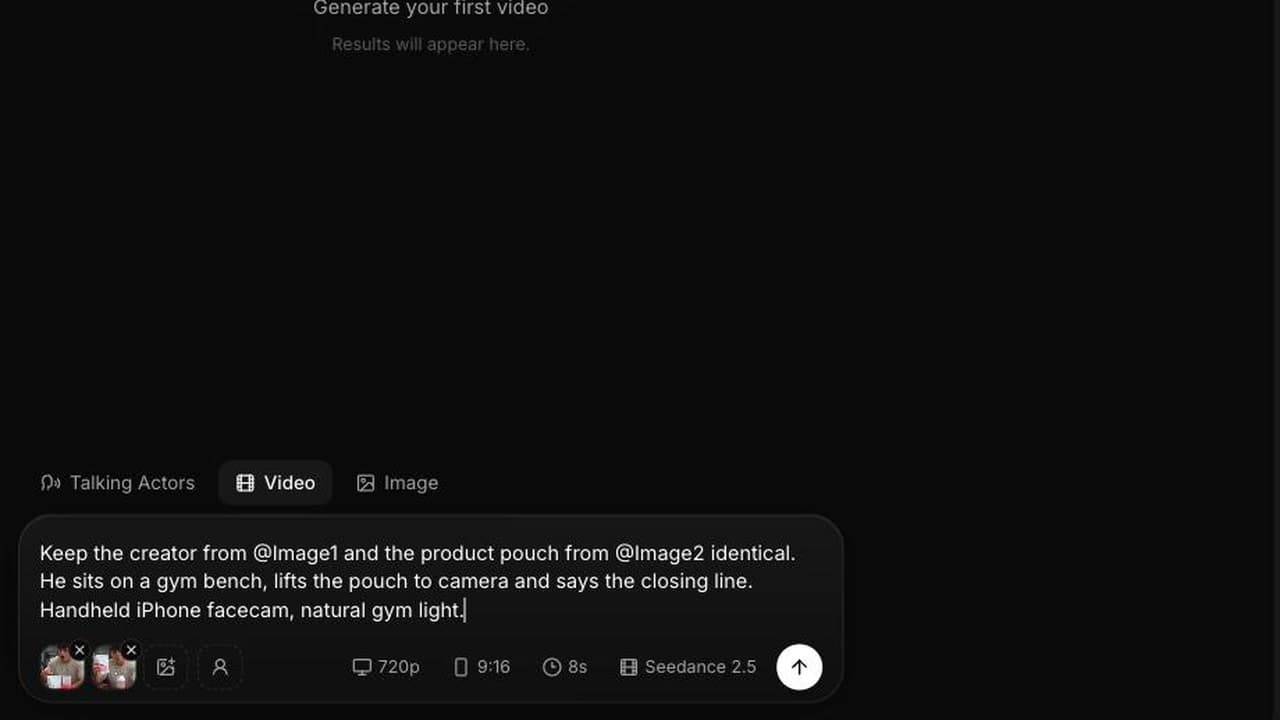
Before the prompts, the two rules that decide whether a product shot works. Attach the cleanest packshot you own, not a lifestyle photo, because the model preserves what is sharp and invents what is soft. And describe only the motion, since the product is already in the frame. Every sentence you spend re-describing the bottle is a sentence the model can use to redesign it.
Five product ad prompts for AI video
1. Packshot on a surface
The workhorse. One product, one surface, one camera move, no hands.
From this frame the camera pushes in slowly and rises a few degrees, ending on a tighter three quarter view while a hard specular highlight travels down the front face from top to bottom. The product itself does not move at all. The background stays a clean unbroken gradient and nothing else enters frame. Preserve the silhouette, the colour and the label exactly as photographed. A low studio room tone and one soft rising tone as the highlight travels, no music, no voice.
Settings: 4 or 8 seconds, 720p, aspect follows the input image. At 48 credits per second an 8 second render is 384 credits.
2. Product in hand
Scale is the job here. A product on white could be any size. A product in a hand is a real object.
Starting from this frame, a hand enters from the lower right, picks the product up off the surface and lifts it toward camera, turning it slightly so the front face catches the key light, then holds it still for the last second. Shallow depth of field, the background falling further out of focus as the product comes forward. Warm window light from the left, soft shadow on the surface below. Fabric movement, a small contact sound as it lifts, quiet room tone, no music.
Settings: 8 seconds, 720p, aspect follows the input image.
3. Lifestyle context
This is the one to run in reference to video, because you need the product to survive a room it was never photographed in.
Keep the product from @Image1 exactly: same shape, same colour, same label position. Use the room from @Image2 as the setting, matching its furniture, wall colour and light direction. Medium shot, slow handheld drift to the right. The product sits on the surface in the foreground, in focus, while behind it someone moves through the room out of focus and out of the frame. Late afternoon light through a window. Room tone, one distant door, no music. Photoreal, shallow depth of field.
Settings: 8 or 12 seconds, 720p, 4:3 or 9:16.
4. Texture macro
The shot that sells a physical property: viscosity, weave, grain, weight.
Extreme close up, macro lens, camera locked off and very slightly above the surface. From this frame, the material moves under its own weight: it settles, spreads slowly and catches the light at the leading edge as it goes. Hard raking key light from the left, deep shadows in the texture, no background visible. Very shallow depth of field with only a narrow band in focus. A faint wet or fibrous sound matched to the movement, room tone, no music.
Settings: 4 seconds, 720p, aspect follows the input image. Cheap to iterate on and the most reusable clip in a product edit.
5. Before and after
One continuous shot with the change inside it, which is more convincing than a cut and costs one generation instead of two.
Two halves on a single locked off frame. For the first half, hold on the subject exactly as photographed, nothing moving except a slow drift of light across it. At the midpoint the product enters from the top of frame, is used on the subject in one unbroken gesture, and then stays in shot, resting beside the result for the remainder. The framing, the exposure and the background do not change at any point and there is no cut. The sound of the gesture, then room tone, no music.
Settings: 12 seconds, 720p. Keep the change modest. An exaggerated after is both less believable and more likely to be rejected by an ad reviewer.
Adapting product ad prompts for AI video by category
The patterns above are the structure. The category decides what the camera should be looking at.
Skincare. The proof is texture and absorption, not the bottle.
From this frame, a pump of cream sits on the back of a hand, and a fingertip from the other hand spreads it slowly in one pass across the skin until it disappears. Macro close up, locked off, soft diffused light from directly above, no hard shadows. Skin texture stays visible throughout, no smoothing. Quiet room tone and the faint sound of skin contact, no music.
Supplements. Show the ritual, not the tub, and keep any dosage or health language out of the prompt entirely.
Starting from this frame, a hand tips two gummies from the jar into an open palm, then screws the lid back on with one turn. Close up at table height, morning window light from the right, kitchen surface soft in the background. The jar label stays facing camera and unchanged. Gummies against glass, the lid turning, distant kitchen sounds, no music.
Apparel. Fabric only looks real when it moves.
From this frame, the garment lifts and settles in a slow air current, the fabric rippling once across the shoulder and falling back. Medium close up, camera locked off, side key light raking across the weave so the texture reads. Neutral background, no other objects. A soft fabric rustle and room tone, no music.
Gadgets. Show one interaction, not the whole feature list.
From this frame the device is switched on: a beam widens out of the lens toward the left of frame and a faint image resolves on the wall beyond. The camera stays locked off at desk height. The room is dim, one warm lamp behind, dust drifting visibly in the beam. Nothing else in the shot moves. A fan spinning up and a single switch click, no music.
Home. Sell the room the product lives in.
Keep the product from @Image1 exactly, same shape and finish. Use the living room from @Image2 as the setting. Slow lateral dolly left at coffee table height, the product in the foreground in focus, lamps and furniture drifting past behind. Late evening warm lamplight, deep shadows in the corners. Room tone and one distant street sound, no music. Photoreal.
What does not hold up
Be honest about this internally, because the surprise is expensive when it arrives at the delivery deadline.
Fine print. Ingredient lists, dosage panels, legal text and anything set below about 10pt in the source image will drift, smear or turn into plausible looking nonsense as soon as the camera moves. There is no prompt phrasing that fixes it. Frame so the fine print is out of shot, keep it well out of focus, or hold the camera completely still on the panel and accept a shorter clip.
Small logos and wordmarks. A large, simple wordmark on a flat face usually survives a slow move. A small logo, a serif mark, a monogram or anything embossed will often mutate. Test it at 480p before you build an edit around it.
Exact brand colour. The grade you describe in the prompt shifts everything. If a brand has a strict palette, say the colour explicitly in the prompt, keep the grade language neutral, and expect to check the result against the brand sheet rather than trusting it.
Complex mechanisms. Hinges, clasps, pumps and anything that folds tend to be rendered as an idea of the mechanism rather than yours. Keep those actions off camera or very short.
Counting. Six capsules going into a palm will sometimes be five, sometimes seven. If a specific count matters to the claim, do not put it on screen.
The practical answer to most of these is to test at 480p, at 23 credits per second, where an 8 second variant costs 184 credits, and only commit the 720p render once the label survived. Our guide to Seedance 2.5 image to video covers start frames in more detail, and the Seedance 2.5 prompt examples library has 25 more complete prompts across all three modes.
Where these fit in an ecommerce ad
A product ad rarely needs one clip. It needs three or four: a hook, a demo, a texture beat and a card. The patterns above map onto that directly, and because each one is short, a whole spot can be assembled from four generations at 4 to 8 seconds rather than one long one.
Put the texture macro second, not first. The packshot turntable is the weakest hook in a feed and the strongest closer. And whatever you build, check it against the platform requirements for video assets before you upload, since the Shopify blog and Google's video best practices both cover the boring specifications that get product video rejected or ignored.
For the wider workflow, our post on Seedance 2.5 ecommerce product videos covers assembling the full spot, Seedance 2.0 product demos shows how the previous model handled the same shots, and AI product video for ecommerce is the strategic version of this argument.
Frequently Asked Questions
Should product ad prompts use text to video or image to video?
Image to video, almost always. Text to video invents a product that resembles yours rather than being yours. Attach your cleanest packshot as the start frame and write only the motion, or attach two to four images to use reference to video when the product needs to appear in a setting it was never photographed in.
Will Seedance 2.5 keep my product label readable?
A large, simple wordmark on a flat face usually survives a slow camera move. Fine print, ingredient panels, small logos and serif marks will drift or smear once the camera moves. Frame the fine print out of shot or keep it out of focus, and test at 480p before committing a 720p render.
How much does a product ad clip cost?
Seedance 2.5 costs 23 credits per second at 480p and 48 credits per second at 720p, where one credit is one cent of generation cost. A 4 second macro at 720p is 192 credits, an 8 second packshot is 384, and an 8 second test at 480p is 184.
Does reference to video cost more than image to video?
No. All three modes cost the same per second. What changes is the mode: no images gives you text to video, one image gives you image to video, and two to four images gives you reference to video with @Image1 through @Image4.
What aspect ratio should product ads use?
For feed and story placements, 9:16. For product pages and marketplaces, 1:1 or 4:3. In image to video the output follows the input image, so the aspect picker does not apply and you need to crop the source photo before you generate.
Can I show a before and after in one clip?
Yes, and it is usually better than cutting between two. Use a locked off shot, have a hand apply the product and leave frame, then hold on identical framing while the change appears. Keep the change modest, because an exaggerated result is both less believable and more likely to be rejected by an ad reviewer.
Frequently Asked Questions
Share
AI Summary

Paul Grisel
Paul Grisel is the founder of VIDEOAI.ME, dedicated to empowering creators and entrepreneurs with innovative AI-powered video solutions.
@grsl_frReady to Create Professional AI Videos?
Join thousands of entrepreneurs and creators who use VIDEO AI ME to produce stunning videos in minutes, not hours.
- Create professional videos in under 5 minutes
- No video skills experience required, No camera needed
- Hyper-realistic actors that look and sound like real people
Get your first video in minutes
Related Articles
FLUX 3 Max Shopify Launch Videos From Product Photos
A launch-week video set for your Shopify store built from product photos with FLUX 3 Max image to video: seven assets, copy-paste prompts, credit costs and upload steps.

FLUX 3 Max Dropshipping Ads: Cost per Tested Angle
A dropshipping test depends on how many distinct angles you can afford to try. Here is what each tested angle costs with FLUX 3 Max, with copy-paste prompts and a weekly cycle.
AI Product Video With FLUX 3 Max: From Photo to Clip
How to turn the product photos you already have into short videos with sound for product pages and ads, using FLUX 3 Max image to video on VIDEO AI ME.