
16:9 Explainer Videos
Type your script.
Get a finished 16:9 explainer.
Most people sign up to VIDEO AI ME to make vertical ads. You can also create professional 16:9 explainer videos for your landing page, onboarding, and YouTube. Your own AI actor, chaptered animations, sound design, and captions, all produced automatically.
Made in VIDEO AI ME
One prompt in. Pro edit, sound design, and captions out.
Pick a look, write your prompt and script, then hit Generate Clip. The edit, the sound design, and the captions are assembled automatically, then exported in 16:9.
Made in VIDEO AI ME
A founder explainer in 16:9: your AI actor, chaptered animations, sound design and captions, made from text.
Your AI actor
Cloned from one selfie and speaking in your own voice. No camera, no crew.
Chaptered and animated
Write the script in chapters; each one animates with UI screens on cue.
Finished in 16:9
Editing, sound design and captions added automatically, then exported.
Everything in one place
One workspace, from script to finished cut
Pro Edit
Cuts and pacing assembled for you.
Sound Design
Music and SFX matched per chapter.
Captions
Word-by-word, burned in and timed.
Auto edit
Editing, sound design and captions are assembled automatically after you generate the clip. No timeline, no editor.
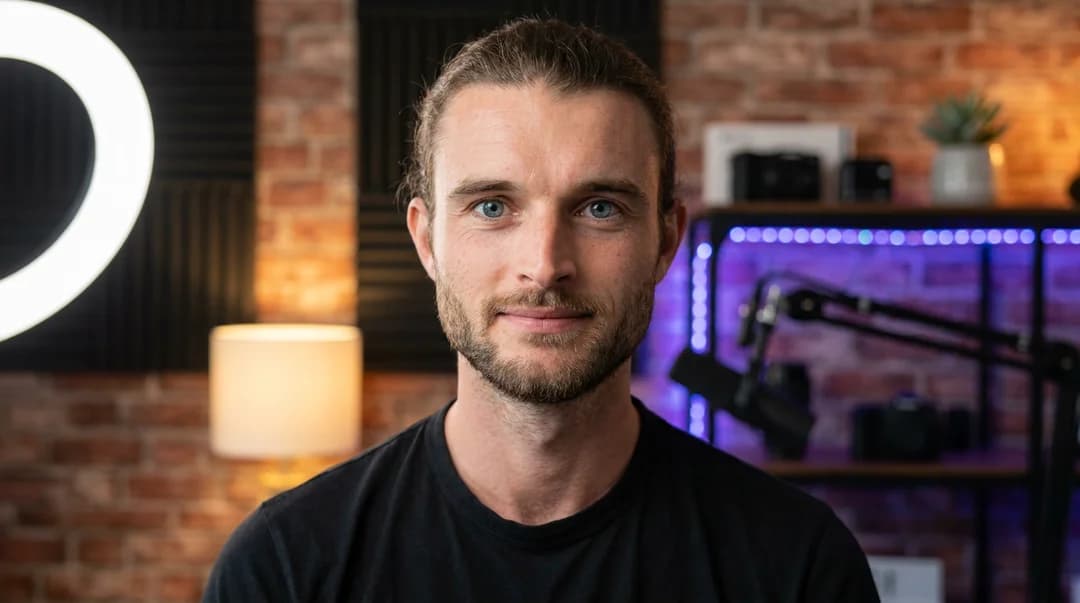
From text
Pick a look, write your prompt and script, then hit Generate. Your explainer is built from a line of text, presented by your own actor.
Explainer videos for business, without a production crew
A great explainer video turns a complex product into something anyone understands in under a minute. The problem has always been cost and time: scripts, a presenter, screen recordings, motion graphics, sound design, and editing add up to days of work and a real budget.
VIDEO AI ME collapses that into typing. You describe your product chapter by chapter, and it generates a 16:9 video presented by your own AI actor in your voice, with animations and UI screens appearing on cue. The sound design, the cut, and the captions are produced automatically, so the finished file is ready for your landing page, onboarding flow, or YouTube channel.
Because orientation is set once at the project level, the whole video stays a clean 16:9 from the talking-actor scenes through to the burned-in captions and the final export. The same actor can also produce vertical 9:16 cuts when you need ads, so one identity covers every channel.
Frequently asked questions
- Can I make 16:9 explainer videos in VIDEO AI ME?
- Yes. Most people use VIDEO AI ME for vertical ads, but you can also create horizontal 16:9 explainer videos for landing pages, onboarding emails, and YouTube. Set the format to Horizontal in the Talking Actors tab.
- Do I need video editing skills?
- No. You type your script in chapters and VIDEO AI ME generates the talking-actor video, then adds the editing, sound design, and captions automatically. There is no timeline and no editor to learn.
- Can the video use my own face and voice?
- Yes. Create an AI actor from a single selfie and use your cloned voice, so the explainer is presented by you in 16:9.
- How long does it take?
- A 60-second business explainer takes about five minutes, start to finish, from text.
- Will an AI video look fake or generic?
- It is not a stock avatar. The explainer is presented by your own AI actor, cloned from your selfie and speaking in your cloned voice, so viewers see you. You control the script, the look, and the pacing, so it feels like your brand, not a template.
- Is this worth it compared to hiring a video team?
- A single explainer from an agency or freelancer usually costs hundreds to thousands and takes days. Here it is minutes on a flat subscription, and you can rewrite a line and re-export instantly instead of paying for another revision.
- Will it work for my industry and language?
- Yes. It works across industries and supports 70+ languages, so you can localize the same explainer for different audiences. The same actor also produces vertical 9:16 cuts when you need ads.