
MiniMax H3 Camera Movement Prompts and Language
The camera vocabulary MiniMax H3 responds to, which moves suit which shot, and why stacking two movements into five seconds ruins a clip.
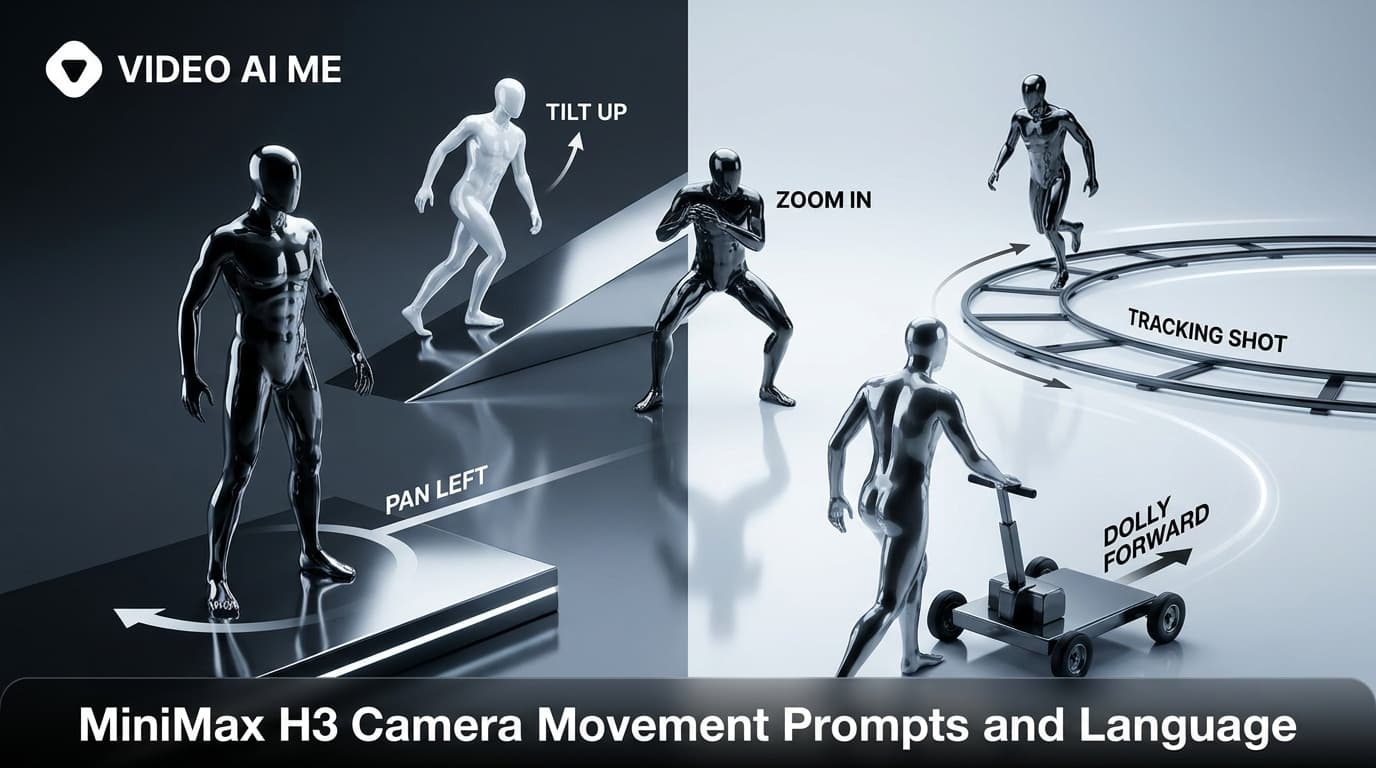
MiniMax H3 responds to standard film camera language: shot size, lens length, angle and one named movement. The rule that matters more than any vocabulary list is one movement per shot, because a five second clip does not have room for two and asking for two produces motion with no readable subject.
Why does camera direction matter so much?
Because it is the difference between a clip that reads as footage and a clip that reads as a generated image with drift.
When you say nothing about the camera, the model picks something, and it often picks a slow generic drift that makes everything feel the same. When you name a shot size and a move, you get a deliberate frame, and deliberate frames are what make an ad look like it was shot rather than produced by accident.
It is also the cheapest control you have. Changing one camera sentence changes the entire feel of a clip without touching the subject, the line or the lighting.
Shot sizes
Start here, because shot size does more for meaning than any move.
- Wide shot. Shows the environment. Use it for lifestyle frames and for establishing where someone is.
- Medium shot. Waist up. The workhorse for someone holding a product and talking.
- Medium close up. Chest up. The UGC default, close enough to read expression, wide enough to include hands.
- Close up. Face or object filling most of the frame. For emotion or for a product detail.
- Extreme close up. Texture, label, a single detail. Strong for product work, weak for dialogue.
Medium close up on a woman in her late twenties in a sunlit bedroom, static camera at eye level.
Lens language
Naming a lens is a compact way to control depth and compression.
- 35mm. Wider, more environment in frame, slight sense of being present in the room. Good for handheld UGC.
- 50mm. Neutral, close to how the eye sees. The safe default.
- 85mm. Compressed, shallow depth of field, subject cleanly separated from the background. Good for product and for flattering faces.
- Anamorphic. Wide, slightly stretched, horizontal flares. Cinematic in a way that reads as advertising, so use it deliberately.
Pair it with a depth note when you want separation: "85mm, shallow depth of field".
Camera angles
- Eye level. Neutral and honest. The right default for talking to camera.
- Low angle. Looking up. Makes a subject or product feel larger and more imposing.
- High angle. Looking down. Makes a subject feel smaller, or shows a surface clearly.
- Top down. Straight overhead. The standard for unboxing and flat lay product work.
The movements that work
One per shot. Each of these is a complete instruction on its own.
Static. No movement. Underrated. A locked off shot puts all the attention on the subject and the line, which is exactly what a talking hook needs.
Slow push in. Camera moves toward the subject. Builds intensity. The most reliable move in the set and the right choice when you are unsure.
Slow pull back. Camera moves away. Reveals context. Good for ending a lifestyle beat.
Pan. Rotates horizontally from a fixed position. Follows movement across a frame.
Tilt. Rotates vertically. Reveals height, or moves from a product up to a face.
Slow orbit. Circles the subject. Strong for a product on a surface, risky around people.
Tracking shot. Follows a moving subject at a steady distance. Use when someone is walking.
Handheld with slight sway. The UGC signature. Ask for "a small amount of natural sway" rather than "shaky", because unqualified shake produces more movement than you want.
Selfie framing. Camera held at arm's length by the subject. The other UGC signature, and it implies the handheld quality automatically.
Ready to use camera lines
Drop these into the camera slot of any prompt.
Handheld medium close up with a small amount of natural sway, eye level.
Medium shot on a 50mm lens, slow push in, static framing otherwise.
Extreme close up on an 85mm lens, static camera, shallow depth of field.
Top down camera angle, static, close framing on the hands.
Wide shot settling to medium, slow pull back, 35mm.
Low angle close up, slow push in, shallow depth of field.
Handheld selfie framing with natural walking movement.
Why does stacking movements fail?
Arithmetic. A five second clip at a normal frame rate is a short window, and each movement needs time to read as intentional. Two moves in that window means neither completes, and the result is a frame that never settles anywhere long enough for a viewer to understand what they are looking at.
This is the most common self inflicted problem we see in prompts. "Handheld push in that whips to a low angle then orbits the product" is three shots written as one.
If a sequence genuinely needs three moves, generate three clips and cut them together in the editor. That also means you can reshoot one beat without regenerating everything, which is faster anyway.
How does camera direction differ per mode?
Text to video. Full control, describe everything.
Image to video. Your image is the first frame, so the camera direction describes how it moves away from that frame. "The camera pushes in slowly" works. Do not re describe the composition that already exists in your still. Covered in how to use image to video.
Reference to video. The model composes a new shot, so camera direction works as it does in text to video, but keep it simple because the model is already juggling the reference subjects.
Which move suits which kind of ad?
A rough mapping, so you are not choosing at random.
Talking hook. Static or handheld with slight sway, medium close up, eye level. The line is doing the work and camera movement competes with it. If you are unsure, static.
Product reveal. Slow push in from a low angle. The low angle gives the object presence and the push builds toward it. Reliable enough to be a default.
Unboxing or demonstration. Top down, static, close on the hands. The action is the content, so the camera should stay out of the way.
Lifestyle or brand frame. Wide settling to medium with a slow pull back. This is the one place a heavier grade and a more cinematic move earn their keep, because you are selling a feeling rather than pretending to be phone footage.
Walking hook. Handheld selfie framing with natural walking movement. Motion holds attention on its own, which buys an extra beat before the line has to land.
Texture close up. Static, 85mm, light raking across the surface from the side. Movement here just makes the texture harder to read.
These pair with the format prompts in MiniMax H3 UGC prompt templates, and current placement specs from Meta's advertising guidance are worth checking before you commit to a framing.
How do you debug a camera direction?
If a move gets ignored or produces something odd, simplify rather than elaborate.
Drop to static and rerun. If the shot works statically, add one move back. If it still does not, the problem is usually a conflict elsewhere in the prompt, such as asking for a wide shot and an extreme close up detail in the same sentence.
Changing one element at a time is the whole method, and it is covered in the prompt guide.
Frequently Asked Questions
How many camera movements should one prompt contain?
One. A five second clip has room for a single move. Stacking a push, a whip and an orbit produces motion with no readable subject.
What camera vocabulary does MiniMax H3 understand?
Standard film language: shot sizes, lens lengths, angles, and named moves like push in, pull back, pan, tilt, orbit, tracking and handheld.
Should I specify a lens?
It helps. A 35mm reads wider and more environmental, an 85mm compresses and isolates. Naming one is a compact way to control the whole look.
Is a static camera ever the right choice?
Often. A locked off shot puts all the attention on the subject and the line, which is usually what a talking hook needs.
How do I get the handheld UGC look?
Ask for handheld framing with a small amount of natural sway. Asking for shake without qualifying it tends to produce more movement than you want.
Why does my camera direction get ignored?
Usually because it conflicts with something else in the prompt, or because you asked for more motion than fits the duration. Simplify and rerun.
Practise the difference
Take one subject and generate it five times changing only the camera line: static, slow push in, handheld sway, low angle, top down. Same person, same words, five different clips. Fifteen minutes and you will never write a vague camera direction again. More complete prompts are in MiniMax H3 prompt examples, and the technical background on the model is published by MiniMax.
Frequently Asked Questions
Share
AI Summary

Paul Grisel
Paul Grisel is the founder of VIDEOAI.ME, dedicated to empowering creators and entrepreneurs with innovative AI-powered video solutions.
@grsl_frReady to Create Professional AI Videos?
Join thousands of entrepreneurs and creators who use VIDEO AI ME to produce stunning videos in minutes, not hours.
- Create professional videos in under 5 minutes
- No video skills experience required, No camera needed
- Hyper-realistic actors that look and sound like real people
Get your first video in minutes
Related Articles
FLUX 3 Max Audio: Sound and Dialogue Prompt Guide
FLUX 3 Max generates sound on every clip. How to write dialogue it will speak, direct ambience and effects, decide on music, and replace the track when you need to.
FLUX 3 Max Aspect Ratios and Durations Explained
Every FLUX 3 Max aspect ratio and clip length on VIDEO AI ME, how auto behaves in each mode, which placement wants which shape, and what each duration costs.
FLUX 3 Max 1080p vs 720p: When 1080p Is Worth It
FLUX 3 Max costs 17 credits per second at 720p and 29 at 1080p. When the higher tier earns its rate, when 720p is enough, and how to test cheap and deliver sharp.