
Seedance 2.5 Audio: Sound and Lip-Sync in One Pass
Seedance 2.5 generates audio with the picture on every run. How to direct dialogue, ambience, effects and silence, and why one pass lip syncs better than a voiceover added afterwards.
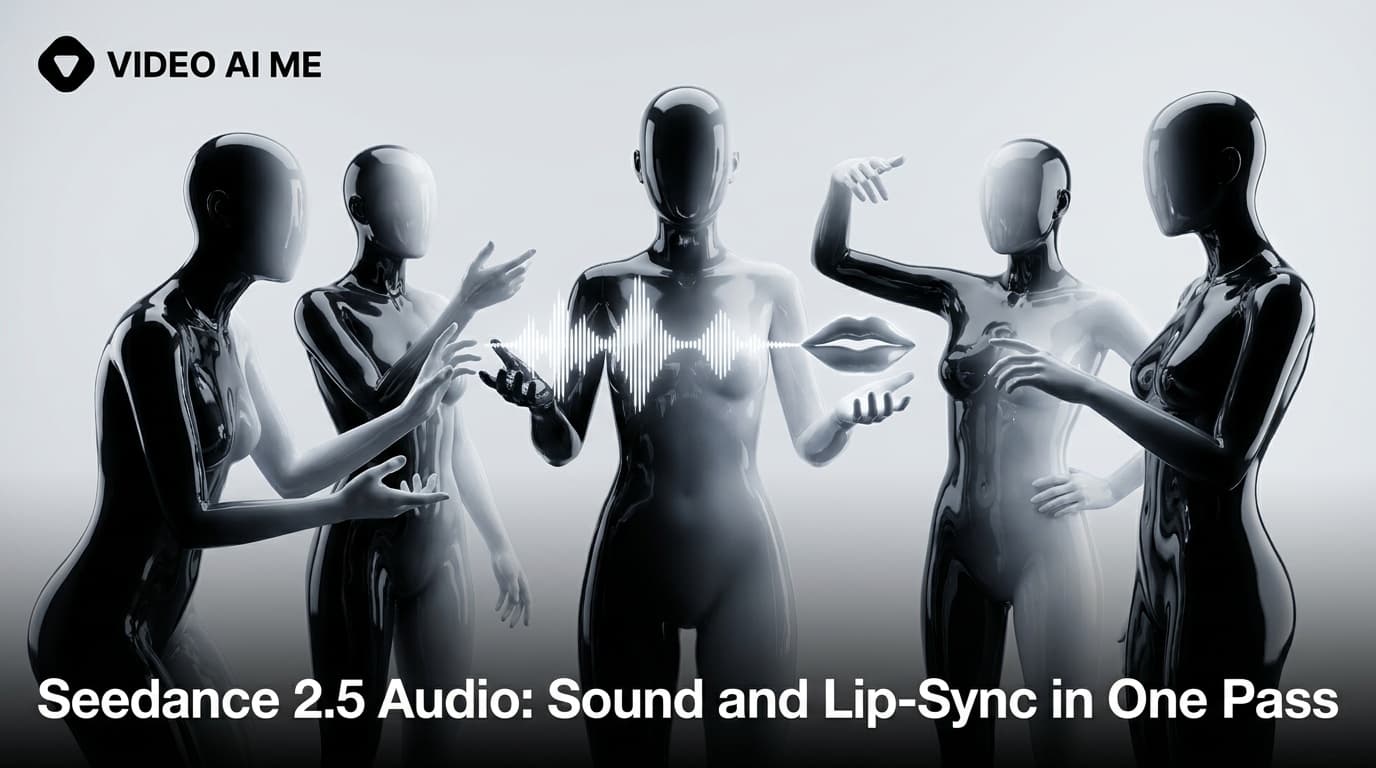
Every Seedance 2.5 generation on VIDEO AI ME comes back as an AI video with sound already in it. Not as an option you tick, and not as an extra line on the bill. The model produces picture and audio in the same pass, which means ambience, effects and spoken lines arrive locked to the frames they belong to, including the mouth movements. There is no audio toggle in the editor and no audio surcharge in the pricing. The practical consequence is that audio stops being a post production step and becomes something you write.
That is the same 15 second script run through both models, 2.5 on top and 2.0 below. The spot opens on a woman walking on the ocean at sunset, cuts to a founder at a laptop, and ends on the brand card. The line she speaks is generated with the picture, not laid over it.
How Seedance 2.5 makes an AI video with sound
There is nothing to configure. Pick Seedance 2.5 in the model picker, write your prompt, choose a duration between 4 and 30 seconds and a resolution of 480p or 720p, and the returned file has a soundtrack. That holds in all three modes: text to video, image to video, and reference to video.
Which means an unwritten soundtrack is still a soundtrack. If your prompt says nothing about audio, the model decides what the scene sounds like, and its instinct for anything resembling a commercial is to add music. Most "why is there a soundtrack on my clip" confusion comes from prompts that never mentioned audio.
So the first habit to build is simple: end every prompt with a sentence about sound, even when the answer is "almost nothing".
Why one pass audio lip syncs better than a voiceover added afterwards
The old workflow was generate silent video, then generate or record a voiceover, then align them. It works, and it has a ceiling that anyone who has done it recognises.
The mouth was never solving for those words. A silent generation makes generic speech shapes, or none. Aligning real audio to it is a matching exercise where the picture cannot move. You land the stressed syllables and drift everywhere else, and the eye notices.
Timing gets negotiated twice. The performance has a rhythm and the voice track has a different one. Pulling them together means stretching the audio, which changes the voice, or cutting the picture, which changes the shot.
Room tone lives in two places. A recorded voiceover carries the acoustics of wherever it was recorded, which is not the room in the shot. Matching them convincingly is a real audio job.
When the audio is generated with the picture, none of those exist as separate problems. The mouth shapes are produced for those specific words, the pauses in the performance are the pauses in the line, and the voice sits in the same acoustic space as the ambience because both were made at once. The previous version's behaviour is covered in the Seedance 2.0 audio guide if you want the comparison, and the broader landscape is in our roundup of the AI video models with native audio.
There is a trade. Because the voice is generated, you do not pick it from a library. You steer it with description in the prompt and re-roll if you do not like it. For most ad work that beats the alignment tax. For brand voice continuity across a long campaign it is a real constraint.
What you can direct in an AI video with sound
Four layers, and it helps to write them in this order at the end of the prompt.
1. Dialogue, in quotes
Put spoken lines inside quotation marks. This is what separates speech to be performed from a description of speech. "She says, 'We stopped ordering these six months ago'" produces a lip synced line. "She talks about her order history" produces someone moving their mouth about nothing.
Keep lines short. A comfortable spoken line runs about two and a half to three words per second, so an 8 second clip holds roughly twenty words of dialogue with room to breathe. Cramming thirty words into eight seconds produces a rushed delivery, because the model will try to fit them.
You can steer delivery around the quote: "flatly", "with a small laugh", "quietly, almost to herself". Steer with one adverbial phrase, not three.
2. Ambient sound
Name the room. "Ambient kitchen room tone", "a busy cafe at lunchtime", "wind and distant traffic from a high balcony". Ambience is what makes a clip feel recorded somewhere rather than assembled, and it is the cheapest upgrade to a prompt that already works visually.
3. Sound effects, tied to actions
Effects land best when they are attached to something visible: "one soft click as the lid closes", "two sharp taps as he knocks the basket flat", "the zip running the full length of the bag". Free floating effects with nothing on screen causing them tend to be dropped or arrive in the wrong place.
4. Music, or explicitly no music
Say which. "No music" is a real instruction and the model respects it. If you want music, describe it in the same terms a music supervisor would: "sparse piano, slow, no drums" rather than "epic cinematic soundtrack".
For paid social, "no music" is often right even when the spot feels bare, because you will drop a licensed or trending track over it on the platform anyway. Guidance from Meta for Business and TikTok for Business is worth reading here, since both have documented views on sound on and sound off viewing.
Complete prompts with dialogue
Each one is labelled with the mode and settings it was written for, at 23 credits per second at 480p and 48 credits per second at 720p.
Single speaker to camera. Text to video, 8 seconds, 720p, 9:16, 384 credits.
A man in his forties in a canvas work jacket stands in a home garage in front of a pegboard of tools, holding a cordless driver loosely in one hand. He looks straight into the lens and says, flatly, "I have replaced this thing three times in two years." He lifts the driver slightly and lets it drop back to his side. Static medium shot, 50mm, chest height, shallow depth of field. Cool daylight through an open garage door from camera left, natural grade, no stylisation. Ambient sound of a quiet residential street and one distant dog. His voice is dry and unhurried. No music. Photoreal, 9:16.
Two speakers exchanging lines. Text to video, 12 seconds, 480p, 16:9, 276 credits.
Two women sit across a small table in an open plan office late in the afternoon, a laptop open between them. The first, in a grey blazer, turns the laptop toward the second and says, "This is what it looked like before we changed it." The second leans in, studies the screen for a beat, and answers, quietly, "That cannot be the same month." The first nods once. Static two shot, 35mm, eye level, both faces visible. Warm low sun through venetian blinds, soft banding across the wall behind them, neutral grade. Ambient open office tone, a keyboard somewhere off camera, no music. Photoreal, 16:9.
Sound design carrying the shot, no dialogue. Text to video, 8 seconds, 480p, 9:16, 184 credits.
A heavy glass jar of ground coffee sits on a marble counter in early morning light. A hand enters frame, twists the metal lid off with a slow grinding turn, and lifts it away. Steam is not present. Fine grounds shift as the lid releases. Slow push in from a medium to a close up over the eight seconds, 50mm, counter height. Hard low sun from camera right, long shadow across the marble, natural grade. Sound: the lid grinding against the glass thread, a soft pop as the seal releases, a faint settle of grounds, and a quiet kitchen behind it. No music, no voice, no footsteps. Photoreal, 9:16.
Ambience and one line, reference to video. Reference to video, 8 seconds, 480p, 9:16, 184 credits.
Keep the woman from @Image1 exactly as she appears: same face, same tied back hair, same olive green jacket. Keep the water bottle from @Image2 exactly as it appears: same matte finish, same cap, same label position. She stands on a footbridge over a river at first light, unscrews the cap, drinks, screws it back on and says, breathing slightly hard, "Six kilometres before work. Every day this week." Handheld medium shot, small natural sway, 35mm. Flat overcast light, cool natural grade. Sound: river water below, wind across the microphone, her breathing, the cap thread turning. No music. Photoreal, 9:16.
Explicit silence. Image to video, 4 seconds, 720p, 192 credits, from a finished end card still.
Nothing in the frame moves except a slow drift of the camera a few centimetres to the right. The lighting does not change. Silence, then a single low tone in the final half second. No music, no voice, no ambience.
What a generated soundtrack costs
Nothing extra. Audio is included in the per second rate, and the rate is the same across all three modes.
| Duration | 480p | 720p |
|---|---|---|
| 8 seconds | 184 credits | 384 credits |
| 15 seconds | 345 credits | 720 credits |
| 30 seconds | 690 credits | 1,440 credits |
Credits are the billing unit on VIDEO AI ME and one credit is one cent of generation cost. Plans are Starter at $29/mo for 1,400 credits, Pro at $99/mo for 5,600 credits and Premium at $199/mo for 12,000 credits. Video generation requires an active subscription.
Dialogue is judgeable at 480p, so run your lines cheaply first. Lip sync, delivery, pace and whether the line fits the duration are all visible in a 184 credit test. Re-render at 720p once the read is right.
Three mistakes that spoil generated audio
Writing dialogue without quotes. The single most common one. Without quotation marks the model often treats the line as a description of the scene rather than words to say.
Overstuffing the line. Twenty words is a comfortable 8 seconds. Thirty words in the same clip produces a delivery that sounds like someone reading a disclaimer.
Leaving music unmentioned. If you have not said "no music" and you did not want music, you have not made a decision, you have delegated one.
For prompt shapes built around spoken lines, the Seedance 2.5 user generated content templates are a good starting point, and the sentence level anatomy behind every prompt above is in the Seedance 2.5 prompt guide. If you need the model in English rather than through a Chinese language interface, that access question is covered in Seedance 2.5 in English. Model level research is published by ByteDance Seed.
Frequently Asked Questions
Does Seedance 2.5 generate audio automatically?
Yes. Sound effects, ambient sound and lip synced speech are produced in the same pass as the picture on every generation. There is no toggle to switch audio on, which also means there is no way to request a silent file, so write "no music, no voice" when you want the clip clean.
Does generated audio cost extra?
No. Audio is included in the per second rate of 23 credits at 480p and 48 credits at 720p, and it costs the same in text to video, image to video and reference to video. An 8 second clip at 480p is 184 credits whether it is silent ambience or a full spoken line.
How do I write dialogue so the model lip syncs it?
Put the words inside quotation marks and attribute them to the person on screen: she says, "..." Lines outside quotes are usually read as description rather than speech. Keep to roughly two and a half to three words per second of runtime so the delivery is not rushed.
Can I tell Seedance 2.5 not to add music?
Yes, and you often should. Write "no music" as part of the audio direction in plain prose. It is one of the more reliably respected negatives, and it matters for paid social where you will usually add a licensed or trending track on the platform instead.
Why does one pass audio lip sync better than adding a voiceover afterwards?
Because the mouth shapes are generated for those specific words rather than matched to them after the fact. Adding a voiceover to a silent clip means aligning fixed audio to a fixed picture, which drifts between stressed syllables and puts the voice in a different acoustic space from the scene.
Can I choose the voice?
Not from a library. The voice is generated with the clip and you steer it through description in the prompt, such as dry and unhurried, or bright and fast. If a read does not suit, adjust the description and re-run at 480p, which is why testing lines at the lower resolution is worth the habit.
Frequently Asked Questions
Share
AI Summary

Paul Grisel
Paul Grisel is the founder of VIDEOAI.ME, dedicated to empowering creators and entrepreneurs with innovative AI-powered video solutions.
@grsl_frReady to Create Professional AI Videos?
Join thousands of entrepreneurs and creators who use VIDEO AI ME to produce stunning videos in minutes, not hours.
- Create professional videos in under 5 minutes
- No video skills experience required, No camera needed
- Hyper-realistic actors that look and sound like real people
Get your first video in minutes
Related Articles
FLUX 3 Max Audio: Sound and Dialogue Prompt Guide
FLUX 3 Max generates sound on every clip. How to write dialogue it will speak, direct ambience and effects, decide on music, and replace the track when you need to.
FLUX 3 Max Aspect Ratios and Durations Explained
Every FLUX 3 Max aspect ratio and clip length on VIDEO AI ME, how auto behaves in each mode, which placement wants which shape, and what each duration costs.
FLUX 3 Max 1080p vs 720p: When 1080p Is Worth It
FLUX 3 Max costs 17 credits per second at 720p and 29 at 1080p. When the higher tier earns its rate, when 720p is enough, and how to test cheap and deliver sharp.